

Wrestling with unexpected connectivity drops or stuck on a looping connection screen can instantly derail your momentum in Call of Duty: Black Ops 6. In a high-stakes competitive ecosystem where split-second reaction times matter, knowing whether a connection failure stems from official developer maintenance or your local network routing is essential to resolving the issue. Because this definitive technical guide highlights the precise platforms, diagnostic tracking tools, and official live update channels used to verify network stability on PC and consoles, you can stop guessing and implement a permanent fix to get back into the lobby cleanly.
Two Ways To Check The Server Status In Black Ops 6
- Go To The Activision Support Online Services
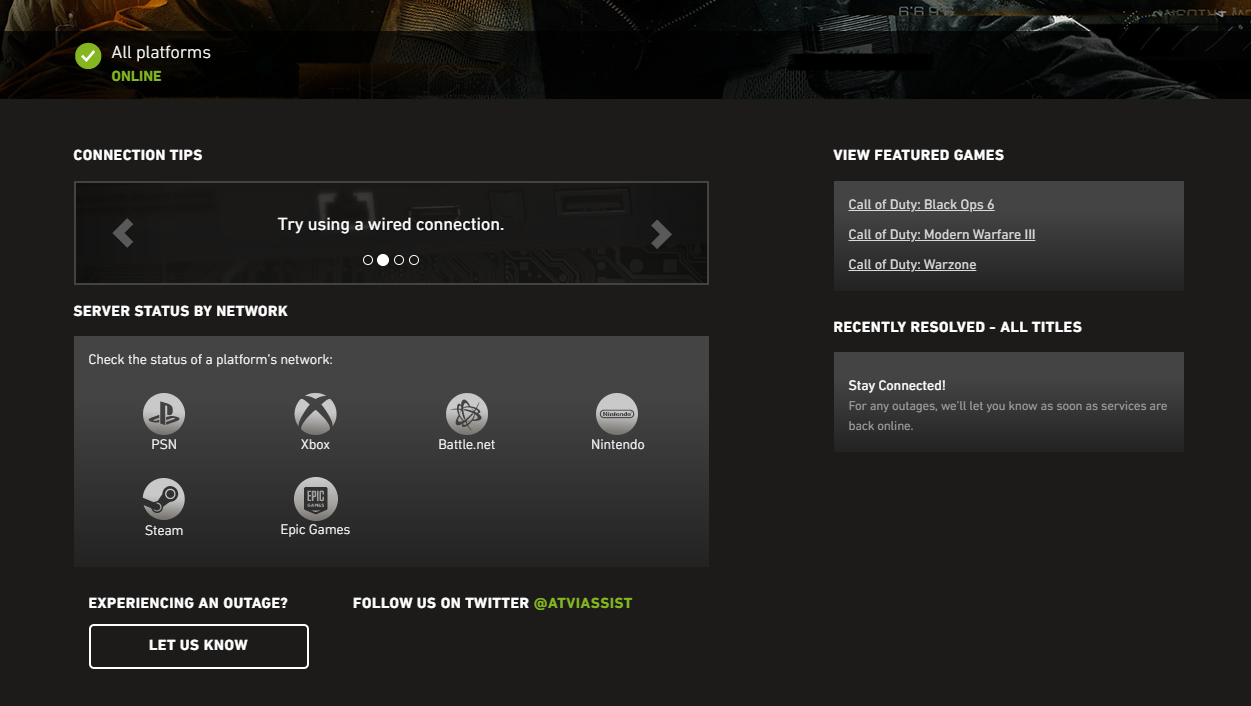
This is the primary and official site to check the real-time status of a wide range of Call of Duty servers across different platforms. On the Activision Support Online Services page, you can quickly check the server status for Black Ops 6 on PlayStation, PC, or Xbox. Not only this, but you can also check the status of other titles in the Call of Duty franchise as well.
If you see a green status light on this page, the servers are working smoothly across various platforms. This indicates that there aren’t any issues for the time being. If you don’t see a green light, there’s a high chance it indicates that the servers are facing some technical difficulties or interruptions. In this case, you might have to wait for the Activision support team to fix the issue.
Moreover, the online services page features links to network status details for certain platforms, such as Xbox Live, Battle.net, PlayStation Network, and Steam. This allows you to look for other connectivity problems that might be related to your platform, which will help you figure out if the problem is with the server or your network connection.
- Check The Offical Social Media Pages Of Call Of Duty
Call of Duty and some of its primary developers have fairly active social media channels, which keep players updated on essential things, like server status and known problems affecting one’s access to Black Ops 6. Following are a handful of useful pages you should keep an eye on:
However, if you continue to face the same issue even after the Activision Support Online Services page shows that everything is normal and there aren’t any reported glitches on the franchise’s social media channels, then the issue might just be on your end. To fix this, you can either try restarting the game, device, or internet router and ensure you have the latest updates. You can also try out different Black Ops 6 accounts to see if that’s the issue.
Once you have everything up and running, you can try out our Black Ops 6 bot lobbies and see how it feels to be the only pro in a match!
Check out some of our most popular Boosting services: