







If BO7 crossplay is not working for you, no worries — you’re definitely not the only one running into this. Black Ops 7 launched with full crossplay support, but yep, sometimes party invites fail, platforms won’t connect, or your friends list just refuses to load. The good news? Nearly every crossplay issue has a simple fix once you know where to look.
Let’s break down all the common problems and how to get BO7 crossplay back online fast.
Why Crossplay Breaks in Black Ops 7
When crossplay doesn’t work, it’s almost always tied to one of these:
- Disabled crossplay settings
- Account restrictions between platforms
- Network NAT problems
- Server downtime or party system bugs
- Friends list desync
- Outdated game versions
- Platform privacy settings blocking invites
- Corrupted cache data
Got it? Cool — now let’s fix it step by step.
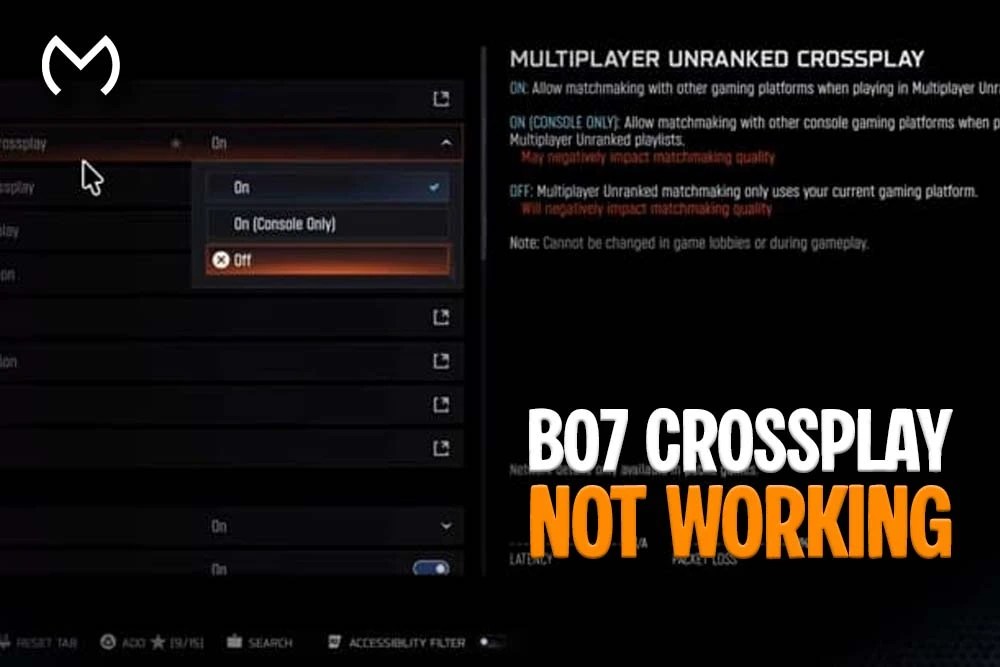
1. Make Sure Crossplay Is Actually Enabled
Yep, this sounds obvious, but BO7 can sometimes turn crossplay off after an update.
Go to:
Settings → Account & Network → Crossplay → ON
If crossplay is disabled:
- parties may not appear
- invites can fail
- friends might be shown as offline
Toggle it off, then on again to refresh the connection.
2. Update BO7 to the Latest Version
If you and your friends aren’t on the same patch, crossplay breaks instantly.
Console versions sometimes update slower than PC, so check:
- PlayStation updates
- Xbox updates
- Battle.net/Steam updates
Everyone needs to be on the same version — otherwise matchmaking won’t sync.
3. Restart Your Activision Login Session
Half of BO7’s crossplay issues come from a bad login session.
Do this:
- Log out of your Activision account in-game.
- Close BO7 fully.
- Relaunch the game.
- Log in again.
This refreshes crossplay and friend-syncing permissions.
4. Check NAT Type (Major Cause of Crossplay Failure)
NAT type affects how platforms communicate.
If your NAT type is Strict, expect:
- failed invites
- broken lobbies
- crossplay disconnects
- friends appearing offline
You want:
Open (best) or Moderate (acceptable)
Fixing NAT usually involves:
- enabling UPnP
- port forwarding
- restarting your router
- avoiding shared guest networks
If you’re on hotel Wi-Fi or dorm Wi-Fi, that can cause strict NAT as well.
5. Disable Cross-Platform Communication Restrictions
On consoles, privacy settings can literally block BO7 crossplay.
Check these:
PlayStation
Settings → Users and Accounts → Privacy → Communication
Set communication and games to Allowed
Xbox
Settings → Privacy & Online Safety → Xbox Privacy
Enable cross-network communication
Steam/Battle.net
Ensure the account is not set to restricted or family mode.
If any of these are blocked, BO7 crossplay won’t work.
6. Clear Friends List Cache (Very Common Fix)
Sometimes BO7 loads outdated friend data.
This can cause:
- friends showing offline
- invites not sending
- crossplay tabs freezing
- parties not forming
Try clearing local cache by:
- Restarting the game.
- Restarting your console/PC.
- Signing out + signing in again.
On PC, rebooting the launcher also helps.
7. Check BO7 Server Status
When crossplay randomly breaks for everyone, it’s usually a server-side issue.
Common signs:
- sudden disconnects
- lobbies refusing to form
- platform-specific outages
- friends list stuck on “Connecting…”
If servers are down, there’s nothing to fix on your end — you’ll just have to wait.
8. Make Sure Your Activision Account Is Properly Linked
Crossplay requires accounts to be linked correctly.
Double-check that your:
- PSN account
- Xbox account
- Steam/Battle.net
- Activision ID
…are all connected to the same Activision profile.
If one platform shows “Unlinked,” crossplay breaks instantly.
9. Rebuild Game Cache (Console + PC)
Corrupted cached data can mess with crossplay services.
On Xbox:
Hold the power button → fully shut down → unplug for 30 seconds.
On PlayStation:
Turn off → hold power for two beeps → enter Safe Mode → clear cache (PS5).
On PC:
Restart your launcher and reboot your system.
This cleans up stuck network data.
10. Check for Platform-Specific Chat Restrictions
BO7 uses integrated voice and text chat across platforms.
If you blocked communication:
- invites can fail
- your lobby won’t show up
- you may appear offline
Enable cross-platform voice and communication under your console or Steam privacy settings.
11. Try Forming Lobbies From a Different Platform
Sometimes:
- PS5 hosts fail
- Xbox hosts fail
- PC hosts fail
…depending on the current BO7 patch.
Try letting someone on a different platform create the party.
Yep — this actually works more often than you’d expect.
Want to Explore All BO7 Options in One Place?
If you’re getting crossplay fixed and want a full breakdown of everything available for Black Ops 7 — accounts, progression options, unlocks, and promotional rewards — the BO7 main hub organizes it all cleanly.
Final Thoughts on BO7 Crossplay Not Working
Dealing with BO7 crossplay not working can be annoying, but luckily most issues come down to simple settings, network sync problems, account permissions, or outdated patches. Once you run through the fixes above — especially NAT type, crossplay settings, account linking, and privacy restrictions — you should be able to squad up across PlayStation, Xbox, and PC without any trouble.


