







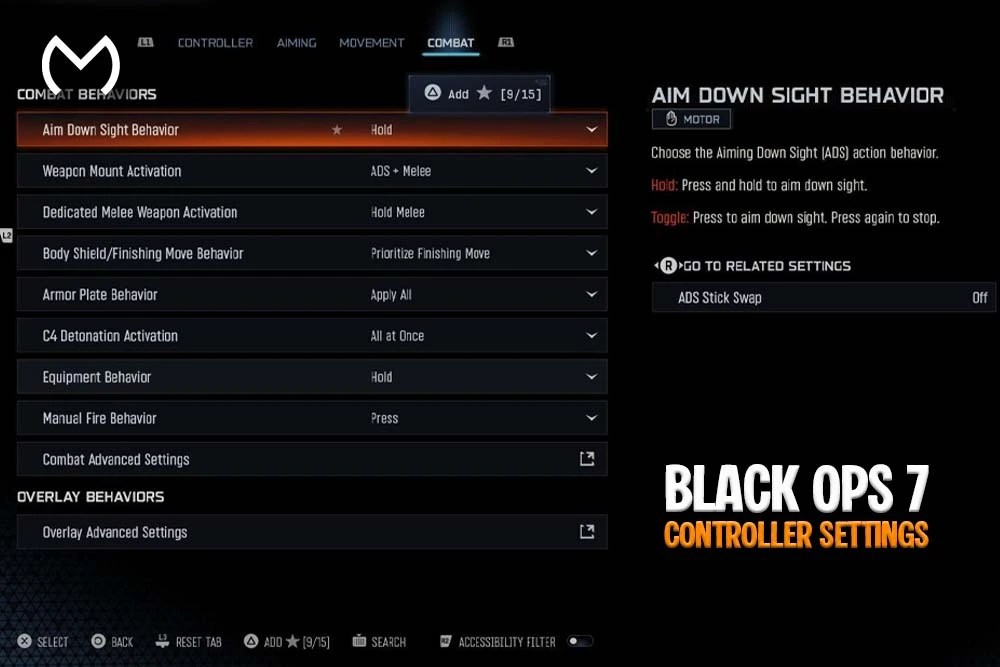
If you’re trying to lock down the BO7 best controller settings, you’re in the right place. Yep — getting your controls dialed in makes a massive difference in Black Ops 7. Good settings don’t magically turn you into a god-tier player, but they absolutely help you aim smoother, move faster, and stay consistent from match to match.
This guide breaks down the best controller layout, sensitivity, aim assist tuning, deadzones, movement tweaks, and everything else you need for that clean BO7 feel.
Let’s dive in.
Why Controller Settings Matter So Much in Black Ops 7
BO7 is fast. Like, very fast. You’re constantly snapping to angles, strafing around corners, breaking cameras, sliding into fights — and if your controller settings are off, the game can feel floaty or overly jumpy.
Dialing in your setup helps:
- minimize stick drift
- reduce over-aiming
- improve tracking on moving targets
- control recoil more consistently
- boost reaction speed
- create predictable muscle memory
Once your settings feel “locked,” everything else just clicks.
Best BO7 Controller Settings (Recommended for Most Players)
Below is the setup that most players find smooth, responsive, and forgiving.
All good if you tweak a bit — everyone’s different — but this is the perfect starting point.
1. Sensitivity Settings
Sensitivity determines how fast your aim moves. Too high and you’ll overshoot everything. Too low and you’ll lose gunfights. Here’s the sweet spot:
- Horizontal Sensitivity: 6
- Vertical Sensitivity: 6
- ADS Sensitivity Multiplier: 0.90
- High Zoom Sensitivity: 0.85
Why this works:
- 6/6 is fast enough for quick turns
- multipliers give better precision for sniping or long-range fights
- movement feels responsive without being chaotic
If BO7 still feels twitchy, dropping to 5/5 is totally fine.
2. Button Layout & Controller Presets
For BO7, Tactical or Bumper Jumper Tactical are the go-to layouts.
Tactical Layout gives you:
- crouch/prone on the right stick
- less thumb travel
- faster slide canceling-style movements
- smoother drop-shot transitions
Bumper Jumper Tactical helps players who:
- jump a lot
- need mid-air aim control
- want instant access to shoulder actions
If you use paddles (like on a Scuf or Elite), map jump and slide to the paddles for the fastest mobility.
3. Aim Assist Settings
BO7 offers different aim assist behaviors.
Here’s the cleanest setup for consistent gunfights:
- Aim Assist: On
- Aim Assist Type: Default or Precision
- Target Aim Assist Mode: Default
Default is ideal for aggressive players.
Precision works great if you love accurate mid-range beams.
If you’re new to BO7 or returning after a break, stick with Default first.
4. Deadzone Settings
Dead zones control how much stick movement the game needs before it responds. Too high and you’ll feel delayed. Too low and you’ll drift.
Recommended:
- Left Stick Deadzone: 0.05
- Right Stick Deadzone: 0.06
- Left Stick Max Input: 0.99
- Right Stick Max Input: 0.99
- Trigger Deadzones: 0.02
If you have drift, bump your deadzone up by 0.01 until it stops.
Lower deadzones = better precision. Just don’t go so low your aim shakes.
5. Movement & Advanced Control Settings
BO7 movement is fast-paced with lots of transitions, slides, and quick strafes. These settings keep you fluid:
- Auto Sprint: Off or Automatic Tactical
- Sprint Behavior: Toggle
- Slide Behavior: Tap
- Aim Response Curve Type: Dynamic
- Input Threshold: Standard
Dynamic Curve feels the smoothest. It gives you fine control at low speed while still offering fast turn potential.
If you like aggressive movement, try Automatic Tactical Sprint — just know your sprinting habits will change a bit.
6. Vibration & Controller Feedback
Haptic feedback can be cool, but it does impact aim stability.
Recommended:
- Controller Vibration: Off
- Haptic Feedback: Off
Turning them off helps your aim stay calm during gunfights.
If you love immersion, keeping them on is okay — just a personal choice.
7. Stick Layout
Most players should keep this Default.
Only change it if:
- you’re left-handed
- you’re extremely used to swapped sticks
- you play another game with a non-standard layout
But for BO7, Default is ideal.
8. Best Settings for Snipers in BO7
If you snipe a lot, consider this:
- ADS Multiplier (Low Zoom): 0.85
- ADS Multiplier (High Zoom): 0.80
- Aim Assist Type: Precision
- Deadzones: Lower them for cleaner micro-corrections
Aim assist behaves slightly differently based on zoom level, and these tweaks help stabilize both drag-scoping and long-range shots.
9. Best Settings for Aggressive SMG Players
If you play fast — sliding, rushing, hip-firing, and close-range clearing — try these:
- Horizontal Sensitivity: 7
- Vertical Sensitivity: 6
- ADS Sensitivity Multiplier: 0.95
- Auto Sprint: Automatic Tactical
- Aim Response Curve: Dynamic
- Button Layout: Tactical
This setup helps you whip around corners without losing control.
Looking for BO7 Progression Help Too?
If you’re optimizing your controller setup and also grinding through BO7 progression, weapon unlocks, or rewards, you might want to browse the BO7 main hub. It’s where you can explore the full set of Black Ops 7 offerings all in one place — camos, accounts, bonuses, and more.
And if you ever want to explore the full marketplace or check how MitchCactus handles services across different games.
Final Thoughts on the BO7 Best Controller Settings
Finding the BO7 best controller settings isn’t about copying a pro — it’s about finding what feels smooth, consistent, and natural for you. These settings give you a strong starting point, whether you’re a rusher, sniper, or balanced flex player. Once you fine-tune sensitivity, deadzones, aim assist, and layout, BO7 just feels cleaner. More control, less frustration, and way more fun.


