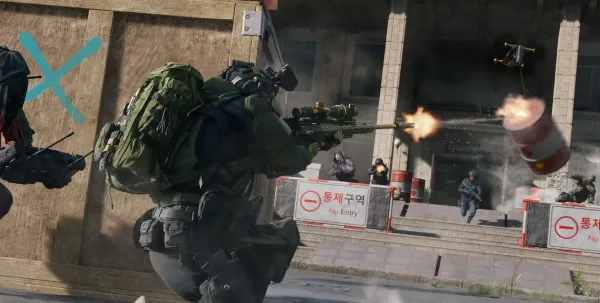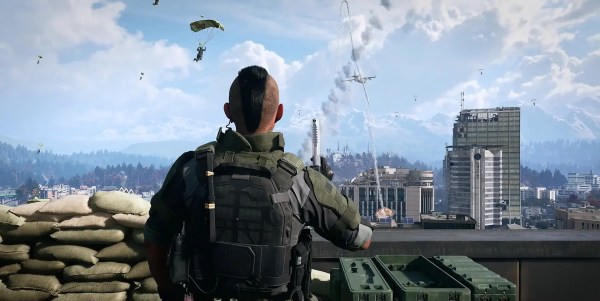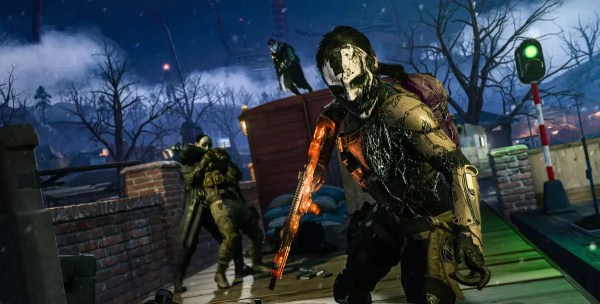







































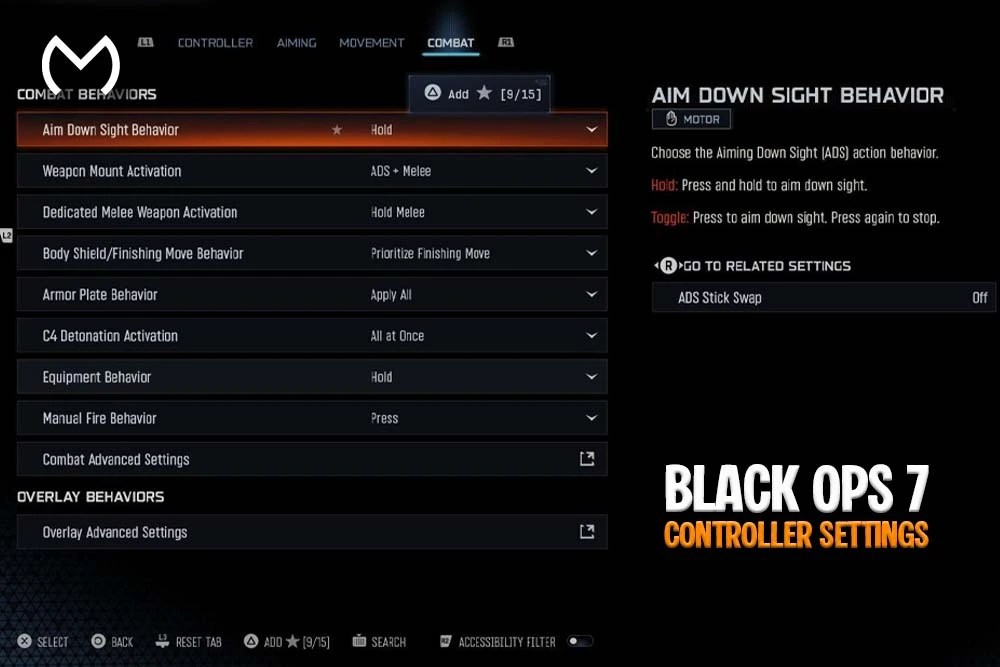
If you’re trying to lock down the BO7 best controller settings, you’re in the right place. Getting your controls dialed in makes a real difference in Black Ops 7. Good settings will not replace practice, but they can make your aim feel smoother, movement more responsive, and recoil control more consistent from match to match.
This setup covers controller layout, sensitivity, aim assist, deadzones, movement behavior, vibration, and playstyle-specific adjustments. Use it as a reliable starting point, then test small changes until the controller feels natural in your hands.
Why Controller Settings Matter So Much in Black Ops 7
BO7 is fast. You’re constantly snapping to angles, strafing around corners, sliding into fights, and tracking players through quick direction changes. If your controller settings are too slow, too sensitive, or affected by stick drift, the game can feel floaty and unpredictable.
Dialing in your setup helps:
- Minimize stick drift
- Reduce over-aiming
- Improve tracking on moving targets
- Control recoil more consistently
- React faster at close range
- Build predictable muscle memory
Once the basics feel consistent, it becomes much easier to judge whether a missed shot came from your settings, positioning, or aim.
Best BO7 Controller Settings for Most Players
The settings below provide a balanced starting point for Multiplayer on PlayStation, Xbox, or PC with a controller.
| Setting | Recommended Value |
| Horizontal Stick Sensitivity | 1.60 |
| Vertical Stick Sensitivity | 1.60 |
| ADS Sensitivity Multiplier | 0.90 |
| Aim Response Curve | Dynamic |
| ADS Transition Timing | Gradual |
| Target Aim Assist | On |
| Left Stick Min | 0 |
| Left Stick Max | 99 |
| Right Stick Min | 3 |
| Right Stick Max | 99 |
| Left and Right Trigger Deadzone | 0 |
| Controller Vibration | Off |
| Trigger Effect | Off |
| Slide/Dive Behavior | Tap to Slide |
| Sprint Restore | On |
| Slide Maintains Sprint | On |
These are not mandatory competitive values. Controller condition, thumbstick tension, screen size, and playstyle can all change what feels best.
1. Sensitivity Settings
Sensitivity controls how quickly your view moves when you use the right stick. Too high and you may pass over targets. Too low and you may struggle to turn quickly enough during close-range fights.
Recommended starting point:
- Horizontal Stick Sensitivity: 1.60
- Vertical Stick Sensitivity: 1.60
- ADS Sensitivity Multiplier: 0.90
- Third-Person Sensitivity Multiplier: 1.00
The original 6/6 recommendation used an older sensitivity format. BO7’s current controller menu uses a decimal scale, making 1.60 a balanced middle ground for most players.
If your reticle repeatedly moves beyond the target, test 1.50. Players who rush aggressively and already have reliable thumb control can try 1.70 before going any higher.
Sensitivity has more variables than one universal number can cover. The Best Sensitivity Settings In BO7 breakdown covers ADS multipliers and playstyle adjustments in greater detail.
2. Button Layout and Controller Presets
Default, Tactical, and Bumper Jumper Tactical are all usable. The best layout depends on whether you use a standard controller or one with rear paddles.
Tactical Layout
Tactical moves crouch, slide, and prone actions to the right stick. It can reduce thumb travel and make quick movement transitions easier without taking your thumb away from aim.
It works well for players who:
- Slide frequently
- Use crouch during gunfights
- Drop-shot at close range
- Do not have rear paddles
Bumper Jumper Tactical
Bumper Jumper Tactical gives easier access to jumping while maintaining right-stick control. It suits players who use wall jumps, airborne movement, or frequent jump shots.
If you use a Scuf, Elite, DualSense Edge, or another controller with paddles, map jump and slide/crouch to the rear buttons. That lets you aim while using movement actions without relying on claw grip.
Default Flipped is another useful option for players who prefer firing with L1/R1 or LB/RB. Bumpers have less travel than standard triggers, although the difference matters less when a controller has trigger stops.
3. Aim Assist Settings
Use these settings as the base:
- Target Aim Assist: On
- ADS Aim Assist: On
- Aim Response Curve Type: Dynamic
- ADS Sensitivity Transition Timing: Gradual
BO7 changed how rotational aim assist reaches full strength. Maximum rotational assistance now requires right-stick movement that actively tracks the target. Simply strafing with the left stick is not enough to receive the strongest effect.
This makes controlled right-stick input more important than trying to let aim assist do all the work. Keep the stick moving with the opponent instead of holding it still once the reticle reaches the target.
Dynamic response gives finer control around the center of the stick while still allowing fast turns near the outer edge. Standard remains a reasonable alternative when Dynamic feels too sharp, but avoid changing curves repeatedly because each one builds different muscle memory.
4. Deadzone Settings
Deadzones determine how far a stick or trigger must move before the game registers an input. Lower values improve responsiveness, but setting them below what your controller can handle may cause drift.
Recommended starting point:
- Left Stick Min: 0
- Left Stick Max: 99
- Right Stick Min: 3
- Right Stick Max: 99
- Left Trigger Deadzone: 0
- Right Trigger Deadzone: 0
Do not copy the minimum values blindly. Open the Test Stick Deadzone tool and leave both sticks untouched. If the right-stick reading moves on its own, increase Right Stick Min one point at a time until the movement stops.
For example, a new controller may remain stable at 0–2, while an older controller may need 4–7. The best minimum deadzone is the lowest value that produces no unwanted movement.
Maximum values around 99 preserve the full aiming range. Some aggressive players lower Left Stick Max to make full movement input activate sooner, but 99 is a safer general setting because it avoids changing how quickly the game reads maximum strafe input.
5. Movement and Advanced Control Settings
BO7 adds quick movement transitions, wall jumps, slides, and active rolls. These settings keep the controls responsive without forcing too many automatic actions:
- Sprint Assist: Off or On, based on preference
- Sprint Assist Delay: 0
- Mantle Assist: Off
- Crouch Assist: Off
- Corner Slice: Off
- Wall Jump Assist: Off
- Active Roll Assist: Off
- Slide/Dive Behavior: Tap to Slide
- Automatic Airborne Mantle: On
- Sprint Restore: On
- Slide Maintains Sprint: On
- Wingsuit Activation: Manual
- Wall Jump Activation: Press
Leaving Sprint Assist off provides more deliberate movement and reduces accidental sprinting. Players who rush constantly may prefer it on, but should test whether it interferes with weapon readiness.
Tap to Slide is the most direct option for fast ground movement. Keeping Wall Jump Assist off also gives you more control over when a wall interaction happens rather than triggering one unexpectedly.
Performance and input response are connected. Frame drops or unstable latency can make otherwise good controller values feel inconsistent, so pair these settings with the Best BO7 Graphics Settings For Maximum Performance when playing on PC.
6. Vibration and Controller Feedback
Haptic effects can improve immersion, but they also add movement to the controller during gunfights.
Recommended:
- Controller Vibration: Off
- Trigger Effect: Off
- Haptic Feedback: Off, where available
Turning these off removes feedback that can interfere with small aiming adjustments. Players who value campaign immersion can leave them enabled there and disable them only for Multiplayer or Ranked Play.
7. Stick Layout
Most players should keep the stick layout on Standard.
Only switch it when:
- You are left-handed and already use a swapped setup
- You have years of experience with Legacy controls
- Another game has built strong muscle memory around a non-standard layout
Changing the stick layout will not provide an automatic advantage. Consistency matters more than choosing an uncommon preset.
8. Best BO7 Controller Settings for Snipers
Snipers benefit from a slightly slower ADS multiplier because small corrections matter more at range.
Try:
- Horizontal Sensitivity: 1.50–1.60
- Vertical Sensitivity: 1.50–1.60
- ADS Sensitivity Multiplier: 0.80–0.85
- Aim Response Curve: Dynamic
- ADS Transition Timing: Gradual
- Right Stick Min: Lowest drift-free value
- Controller Vibration: Off
Do not reduce the deadzone below your controller’s stable test result. Artificially low deadzones can make long-range micro-adjustments less precise if the reticle moves without input.
Sniper aim assist can also differ by playlist. Ranked Play has disabled sniper aim assist under certain competitive rules, so settings that feel reliable in standard Multiplayer may need additional manual adjustment in Ranked.
9. Best Settings for Aggressive SMG Players
If you rush, slide into close-range fights, and clear rooms quickly, use a slightly faster horizontal value without raising ADS speed too much.
Suggested setup:
- Horizontal Sensitivity: 1.70
- Vertical Sensitivity: 1.60
- ADS Sensitivity Multiplier: 0.90–0.95
- Aim Response Curve: Dynamic
- Button Layout: Tactical or Bumper Jumper Tactical
- Slide/Dive Behavior: Tap to Slide
- Sprint Assist: On, if preferred
- Slide Maintains Sprint: On
The extra horizontal speed helps with sharp turns, while the lower ADS multiplier keeps tracking manageable once you aim down sights.
How to Test Your Controller Settings
Do not change five settings after every match. Test them in a controlled environment first:
- Create a Private Match.
- Select a small or medium-sized map.
- Add Recruit-level bots.
- Use one familiar assault rifle or SMG.
- Track targets at short, medium, and long range.
- Adjust only one value at a time.
- Play for several minutes before making another change.
Start with deadzones, then sensitivity, ADS multiplier, response curve, and movement controls. Deadzone drift can make every later adjustment feel unreliable, so fix it first.
Once aiming feels stable, tune the rest of the experience through the Black Ops 7 Audio Settings Guide How To Hear Every Footstep so directional sound supports the faster reactions your controller setup allows.
Looking for BO7 Progression Help Too?
If you’re optimizing your controller setup while working through weapon unlocks, camos, or other rewards, the BO7 main hub keeps the available Black Ops 7 options in one place.
You can also explore the wider MitchCactus marketplace when comparing services across different games.
Check out some of our most popular Boosting services:


Final Thoughts on the BO7 Best Controller Settings
Finding the best BO7 controller settings is not about copying one player’s exact setup. It is about choosing a stable starting point and adjusting it around your controller, playstyle, and muscle memory.
Begin with 1.60 sensitivity, a 0.90 ADS multiplier, Dynamic response, low drift-free deadzones, and deliberate movement controls. Test one change at a time, and keep the setup long enough to judge it properly. The best settings are the ones that let you track consistently without fighting the controller.
BO7 Controller Settings FAQs
What is the best sensitivity for BO7 controller players?
A balanced starting point is 1.60 horizontal and 1.60 vertical with a 0.90 ADS multiplier. Lower it slightly when you regularly overshoot targets.
Should I use Dynamic or Standard aim response?
Dynamic works well for players who want precise central-stick control with faster outer-stick turns. Standard may feel more predictable for newer players or anyone accustomed to a linear-feeling response.
What should my BO7 deadzones be?
Use the lowest minimum values that stop stick drift. A common starting point is Left Stick Min 0 and Right Stick Min 3, with both maximum values set to 99.
Should controller vibration be on or off?
Turn vibration and trigger effects off when aiming consistency matters most. Leave them on only when you prefer immersion over the cleanest possible input feel.
Does BO7 aim assist work without right-stick input?
Aim assist remains active, but BO7 requires right-stick tracking in the target’s direction for maximum rotational aim-assist strength.
Are these settings the same for PS5, Xbox, and PC?
The same baseline works across platforms when using a controller. Hardware condition, input latency, frame rate, and individual controller features may still require small adjustments.