









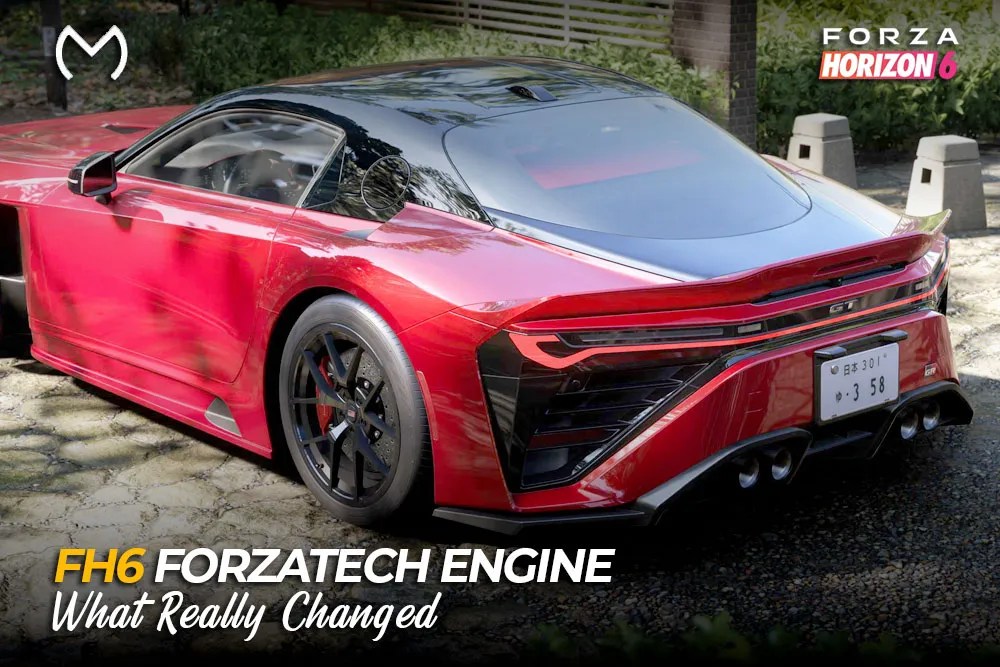
Forza Horizon 6 is the newest iteration of the series and is built using ForzaTech engine developed by Turn 10 Studios specially for the racing games in the series but modified by Playground Games for Forza tech. Forza Horizon 6 is neither an Unreal Engine 5 nor a redesign of Forza.
Optimization is key. The new ForzaTech engine will have to work with the largest map ever seen in the Forza series, traffic in Tokyo, enhanced lighting and sound, and scalability from mobile phones to PC and Xbox Series.
What Does ForzaTech Control?
ForzaTech connects several systems players experience together.
| Engine area | What players notice |
| Rendering | Lighting, reflections, materials, and draw distance |
| Vehicle simulation | Grip, suspension, weight transfer, and collisions |
| World streaming | Fast travel through cities, mountains, and rural roads |
| Weather | Wet surfaces, visibility, snow, and seasonal scenery |
| Traffic and AI | Civilian cars, Drivatars, opponents, and shared activity |
| Audio | Engine notes, surface sounds, echoes, and ambience |
| Platform scaling | Resolution, frame rate, ray tracing, and presets |
This purpose-built racing engine combines approachable sim-cade handling with a large shared world instead of treating cars and scenery as separate experiences.
How is FH6 Different From Other Horizon Games?
FH6 is still a Horizon game, but regarding the Japan map, it becomes clear that there is something to be expected from the technological side. Tokyo City is the largest city in the Horizon series with vertical routes, suburbs, docks, and industrial areas.
Changes made for gamers are the following:
- Sound engine remastering and increased interaction with the surface
- Sound modeling for environmental sound effects
- Steering animation with maximum wheel rotation angle of 540 degrees
- Improved PC rendering, live preview and memory monitoring
- Development for the next-gen consoles except Xbox One
It does not mean that everything from ForzaTech has been reworked. It is just an evolution of the engine and content pipeline for FH6.
Graphics, Ray Tracing, and PC Optimizations
Regarding the PC, ForzaTech engine provides 4K HDR, ultrawide display support, unlimited frames per second, ray tracing reflections, and ray tracing global illumination. RTGI adds indirect lighting and occlusion for cars and environment.
The PC version includes support for NVIDIA DLSS 4, AMD FSR 4 or 3, Intel XeSS 2.1, and the benchmark mode.
The official Forza Horizon 6 PC experience page also highlights 4K HDR visuals, enhanced ray tracing, uncapped frame rates, ultrawide support, and PC-focused flexibility.
Ray tracing remains optional. Its cost can be noticeable, while the improvement is easiest to see on reflective cars, wet surfaces, and controlled comparisons. The best FH6 graphics settings for higher FPS help balance visual quality with steadier frame times.
Physics, Traffic, Weather, and Streaming
ForzaTech takes care of tire grip, suspension dynamics, drivetrain dynamics, steering, and variable road surfaces. Horizon has gotten even more inaccessible but the cars are still reactive to their mass, the behavior of engines, various types of roads, and weather conditions.
Streaming fills up Tokyo with traffic, roadways, vegetation, architecture, and events as soon as needed. World streaming is game-world local streaming rather than cloud or internet streaming.
The visibility, road surface, and grip characteristics are defined by weather and season. Thus, a problem which seems to have something to do with physics or traffic might turn out to be related to such things as speed of storage, shaders, drivers, or graphics configuration.
Modes of Play and Restrictions
Xbox Series X|S has both Quality and Performance modes letting players choose between higher image quality and higher frames per second rate. The PC provides much more room for fine tuning, but the performance depends on the power of CPU, GPU, storage, drivers, and amount of RAM.
ForzaTech scales quite well but there are cases when city scenes with lots of traffic will impose some extra load onto the CPU. Ray tracing will yield some improvement for
If the game closes or fails to load, use targeted FH6 PC crash fixes before deleting save data.
Controls and Platform Features
Controller detection, Steam Input, cross-save, and account ownership are connected to FH6 but sit outside the rendering engine. A controller problem may come from an input profile, so fixes for a controller not working in FH6 on Steam should be handled separately.
Likewise, FH6 crossplay and cross-save depend on platform services and account linking. ForzaTech renders and simulates the world; it does not decide purchases, DLC ownership, or cloud-save access.
Explore FH6 account and progression options beyond performance:


Conclusion
ForzaTech supplies FH6 with its common base regarding car physics, dense-world visualization, traffic, weather, audio, and platform scalability. This engine is not totally new; nevertheless, it has development in FH6 that enables a bigger and diverse Horizon world.
FAQs
Which engine uses Forza Horizon 6?
FH6 uses the ForzaTech engine which is the proprietary graphics and simulation engine of Forza belonging to Turn 10 Studios and customized for Horizon by Playground Games.
What is the ForzaTech engine?
This is a proprietary racing game engine aimed at supporting vehicle simulation, rendering, weather, audio, traffic, and large-scale driving worlds.
Is all of Japan in Forza 6?
Not really, FH6 offers a condensed Japan map with Tokyo City, rural lands, mountain roads, various biomes, etc., but not a one-to-one map.
Is Forza Horizon 6 Unreal Engine?
No, it operates under the ForzaTech engine, not Unreal nor Unity.
Does Forza 6 have Tesla?
As of now, there is no official Tesla on the FH6 car list. In future Festival Series updates, it might change.
What is 7.4L V8 TT?
7.4-litre V8 twin-turbo engine replacement in Forza series. “V8 TT” is an eight-cylinder in V formation with two turbos.



