








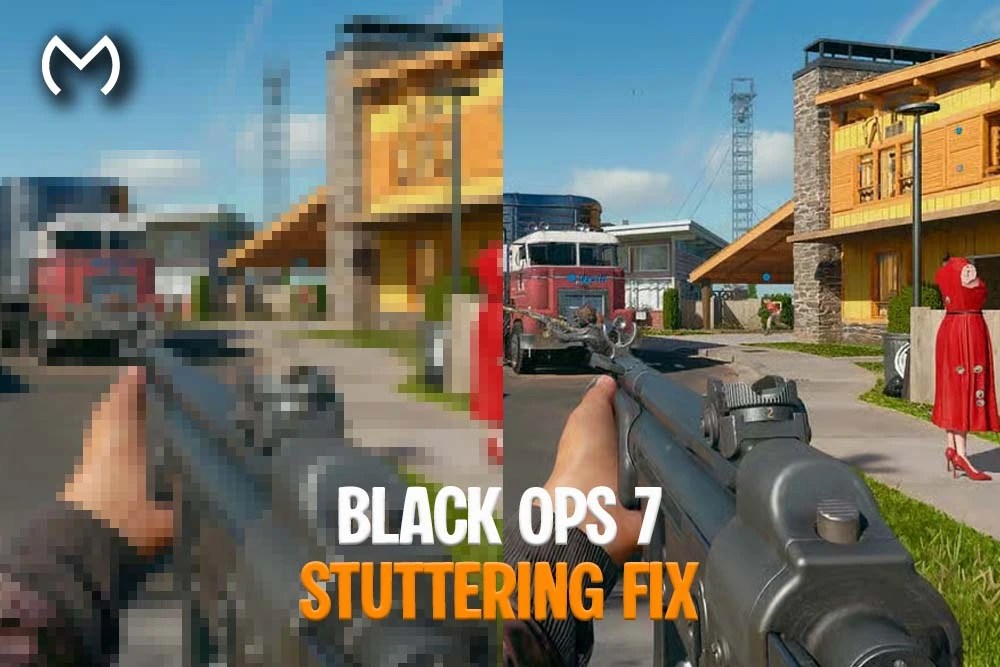
If you’re trying to lock down a solid Black Ops 7 stuttering fix, you’re definitely not alone. BO7 is a blast, but yep — performance hiccups can creep in no matter how strong your setup is. Micro-stutters, sudden frame dips, shader hitches, choppy movement… all of it can make BO7 feel rough even when the FPS counter looks fine. No worries, though. With the right tweaks, you can smooth things out fast.
This guide breaks down every reliable, proven method players use to stabilize BO7 on both PC and consoles. Let’s get you running clean.
Why Black Ops 7 Stutters (Explained Simply)
Stuttering isn’t always tied to low FPS. In BO7, it often happens because your system can’t deliver frames evenly. That leads to hitching, freezing, or delayed rendering even on high-end hardware.
Here are the most common causes:
- GPU driver bugs
- Shader compilation delays
- Overloaded CPU cores
- Memory mismanagement
- Unoptimized in-game settings
- Background overlays
- Slow storage speeds
- Network desync (online modes)
And yep — sometimes it’s just the game needing a patch. But most fixes are in your control.
How to Fix Stuttering in Black Ops 7 (PC & Console)
Let’s hit the actual solutions that work. These are all safe, legit, and widely used.
1. Update GPU Drivers (NVIDIA, AMD, Intel)
No surprise here — drivers impact BO7 more than most players realize.
Manufacturers release “Game Ready” or “Optimized” drivers with BO7-specific patches.
A clean install of your driver can resolve:
- shader stutter
- inconsistent frametimes
- random freeze-ups
It’s the #1 fix for a reason.
2. Optimize BO7 Graphics Settings (Don’t Overdo It)
Yep, BO7 looks amazing, but some settings can bottleneck even big GPUs. You don’t need to lower everything — just the heavy hitters.
Settings that most impact smoothness:
- Texture Streaming
- Anti-Aliasing
- Volumetric Lighting
- Shadow Quality
- Ambient Occlusion
- Screen-Space Reflections
If you want a balanced setup:
Medium Shadows + Low Volumetrics = major stutter reduction.
3. Disable On-Demand Texture Streaming
This one is known to cause micro-stutters when the game pulls textures from the cloud or local cache.
Turning it off often fixes:
- delayed texture loading
- sudden FPS hitching
- inconsistent rendering
Easy toggle, big improvement.
4. Rebuild or Clear Shader Cache
When BO7 receives an update, your old shaders may not match the new build. That causes stutters whenever the game compiles fresh shaders mid-match.
A shader reset fixes:
- startup stutter
- map-load hitching
- stutter during explosions or heavy VFX
Once cleared, BO7 will rebuild new shaders the next time you launch it.
5. Use Fullscreen Exclusive Mode (PC)
Borderless is convenient, but it forces Windows to manage frame output.
Fullscreen Exclusive lets your GPU take full control, cutting frametime spikes instantly.
If your game feels “weirdly laggy” even at stable FPS, this is the fix.
6. Set Render Resolution to 100%
A lot of players accidentally upscale without realizing it.
Rendering above 100% massively increases GPU load and causes stutter.
If your FPS feels fine but movements look choppy, check this setting first.
Drop to 90–95% if you want an extra performance cushion.
7. Reduce or Disable Motion Blur + Depth of Field
These don’t cause heavy FPS drops, but they do:
- increase input latency
- add perceived stutter
- reduce clarity
For smoother gameplay, keep the view crisp.
8. Check Your VRAM Usage
BO7 needs a good chunk of VRAM. Exceeding your GPU’s limit leads to:
- texture swapping
- delayed loading
- major hitching
Try lowering texture resolution if you’re on a 6GB or 8GB card.
9. Move BO7 to an SSD or NVMe (If You Haven’t Already)
Running BO7 on a traditional HDD can cause:
- map stutter
- delayed texture streaming
- asset pop-ins
- slow shader compilation
SSD or NVMe = significantly smoother experience.
10. Disable Overlays & Background Apps
Overlays cause more micro-stutter than people think. Try disabling:
- Discord overlay
- NVIDIA ShadowPlay
- AMD ReLive
- Xbox Game Bar
- MSI Afterburner overlay
These often compete for GPU hooks and create stutter during recording or streaming.
11. Balance Your CPU Usage
BO7 can heavily stress certain CPU cores.
To reduce stutter:
- close browsers
- shut down background updates
- disable Chrome/Edge hardware acceleration
- limit RGB software polling
A smoother CPU = smoother BO7.
12. Fix BO7 Online Stutter (Multiplayer + Zombies)
Some freeze-ups aren’t performance issues — they’re network problems.
Try:
- switching to wired Ethernet
- restarting your router
- closing bandwidth-heavy apps
- avoiding Wi-Fi boosters
- disabling VPNs
Network spikes often feel identical to FPS hitching.
13. Reset BO7 Video Settings (Clean Config Refresh)
If you’ve tweaked settings for weeks, your config might be a mess.
Resetting the graphics preset gives you a stable, default starting point.
Then fine-tune your settings again from scratch.
14. Keep BO7 Updated (Patches Often Fix Stutters)
Treyarch regularly pushes stability updates that fix:
- shader bugs
- map stutters
- performance dips
- memory leaks
If your game hasn’t been updated recently, stutter may simply be outdated code.
Need Progression Help While Optimizing Your Setup?
Some players prefer working on performance while still leveling, unlocking camos, or prepping for future modes. If you ever want a look at everything available for BO7 — accounts, bundles, promo rewards, and progression-related services — the BO7 main hub lays it all out clean and simple.
And if you ever want to browse the full marketplace or see how MitchCactus handles different games and products.
Final Thoughts on the Black Ops 7 Stuttering Fix
Finding a reliable Black Ops 7 stuttering fix doesn’t have to be overwhelming. With the right driver updates, graphics settings, shader resets, and system tweaks, BO7 can run buttery smooth on pretty much any modern setup. And yep — once these changes are dialed in, the game usually stays stable, even after long sessions.
Take your time, test a few combos, and you’ll be back to clean, hitch-free gameplay in no time. Enjoy the smoother experience, and good luck out there.


