









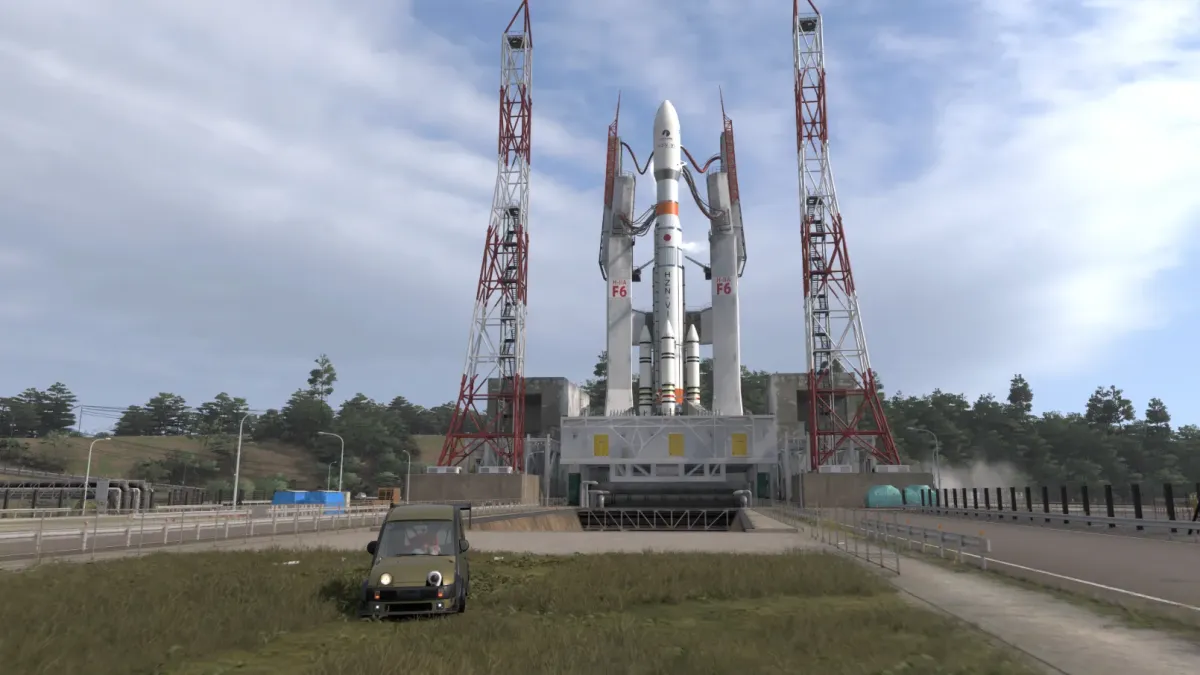
The Astro Toy Photo Challenge in Forza Horizon 6 is one of the absolute highlights of the game’s seasonal activities. If you’re scratching your head trying to figure out how to wrap up the Astro Toy Photo Challenge, this guide shows you exactly where to go, what to drive, and how to get the job done in a few minutes flat.
Step 1: Get Your Hands on the Right Vehicle
Before you even start the Astro Toy Photo Challenge in Forza Horizon 6, make sure you’re cruising around in the particular Astro Toy vehicle you need. You can check the exact car requirement by opening:
- Pause Menu, Festival Playlist, Astro Toy Photo Challenge
Want to expand your garage quickly? Check out the Forza Horizon 6 Modded Accounts at MitchCactus and skip the grind.
Step 2: Find the Giant Space Rocket
The real goal of the Astro Toy Photo Challenge is to track down that massive giant rocket ride. You’ll find the rocket tucked away in the space-themed area of the map. It’s pretty hard to miss thanks to the bright, eye-catching paint job. Once you’re close enough, it’s literally staring you in the face.
Use your map to home in on the attraction zones and zoom in until you spot the rocket landmark. As you get closer to the rocket, you’ll notice the launch area is surrounded by all sorts of fun toy-themed decorations.
Step 3: Set Up Your Shot
After arriving at the rocket, pull up and stop your car in a spot where both vehicle and rocket are smack bang in the middle of the photo frame. Getting this positioning just right is what really matters when it comes to getting that Astro Toy Photo Challenge finished in Forza Horizon 6.
Need access to the game’s biggest endgame area? Find out how to unlock the Legend Island. Our guide has everything you need to know. Make sure:
- The Astro Toy vehicle is visible.
- The giant rocket appears clearly in the background.
- Nothing blocks the camera view.
Sometimes moving your car a few meters closer helps the challenge register correctly.
Step 4: Open Photo Mode
Now it’s time to take the picture. Simply:
- Stop your vehicle.
- Press the Photo Mode button.
- Adjust the camera angle.
- Ensure the rocket and vehicle are both visible.
- Take the photo.
If everything is set correctly, the Astro Toy Photo Challenge in Forza Horizon 6 will complete automatically. You’ll immediately receive a notification confirming the challenge has been finished.
Looking for exclusive DLC rewards and hidden rewards? Don’t miss the Toyota Fanta DLC Codes. Grab them from MitchCactus now!
Common Issues
Sometimes players visit the rocket but don’t receive challenge credit.
- Double-Check the Vehicle: The most common issue is using the wrong car. Verify the required vehicle from the Festival Playlist.
- Move Closer to the Rocket: If the challenge doesn’t register, reposition your car closer to the landmark and try again.
- Retake the Photo: Occasionally, the game fails to detect the landmark properly. Taking another photo usually solves the problem.
These simple fixes help most players complete the Astro Toy Photo Challenge in Forza Horizon 6 without any trouble. Want to level up faster and complete collections easily? Find out how to fill the Collection Journal Fast in Forza Horizon 6 so you don’t miss out.
Whether you’re chasing Festival Playlist rewards or simply enjoying the game’s creative activities, the Astro Toy Photo Challenge in Forza Horizon 6 is a fun break from racing. Grab your camera, find the rocket, and claim your rewards!
Check out some of our most popular Boosting services:





