






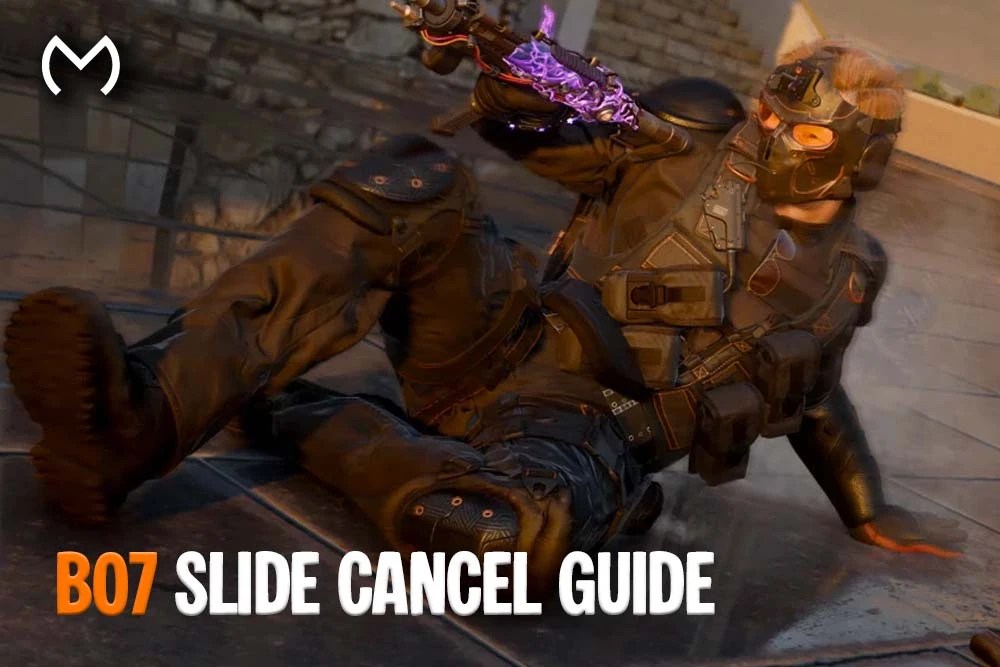
BO7 Slide Cancel Guide
Black Ops 7 lets you cancel a slide, but the technique works differently from the old Modern Warfare and Warzone movement loop.
In BO7, you can interrupt a slide by pressing Jump and return to normal movement sooner. However, this does not automatically refresh unlimited Tactical Sprint because Tactical Sprint is no longer part of the default Multiplayer movement system.
The main benefit is control. A well-timed slide cancel helps you stop before overexposing yourself, raise your weapon sooner, change direction, or prepare for the next gunfight.
Does Slide Canceling Still Exist in BO7?
Yes. BO7 has a practical slide cancel.
The basic sequence is:
- Start sprinting.
- Press your Slide input.
- Press Jump before the slide finishes.
- Aim, strafe, fire, or return to sprint.
On a default controller layout, this usually means:
- PlayStation: Sprint → Circle → X
- Xbox: Sprint → B → A
Button layouts such as Tactical, Bumper Jumper, paddles, or custom remapping will change those inputs.
On keyboard and mouse:
- Sprint
- Press the assigned Crouch/Slide key
- Press Jump, commonly Space
The jump input ends the slide and returns your Operator to a standing or airborne movement state.
This is a slide cancel, but it is not the old method that repeatedly reset Tactical Sprint and created near-constant speed boosts.
How Sliding Actually Works in BO7
BO7 uses Omnimovement, so players can sprint, slide, and dive in more than one direction.
Sliding is affected by:
- Your movement direction
- Available momentum
- Surface and terrain
- Lightweight
- Sprint and slide settings
- Whether Tac Sprinter is equipped
- The timing of your jump or stance input
Treyarch reduced the final game’s slide speed and distance after the beta. Therefore, slides remain fluid, but they no longer carry players as far into every fight.
The official BO7 Multiplayer movement breakdown also confirms that Tactical Sprint is optional and tied to a Perk rather than enabled for every player.
BO7 Slide Cancel Inputs
| Input Method | Basic Sequence |
|---|---|
| Controller | Sprint → Slide → Jump |
| Keyboard and Mouse | Sprint → Crouch/Slide → Jump |
| Tactical Controller Layout | Sprint → Right Stick → Jump |
| Controller With Paddles | Sprint → Slide Paddle → Jump Paddle |
Do not mash every button at once.
Start the slide first, then press Jump when you reach the distance you want. Pressing Jump too early produces a very short movement, while waiting until the full animation ends removes most of the benefit.
Best Movement Settings for Sliding
Use these as a starting point rather than a mandatory competitive preset:
| Setting | Recommended Starting Value |
|---|---|
| Slide/Dive Behavior | Tap to Slide |
| Slide/Dive Activation Delay | Short |
| Sprint Restore | On |
| Slide Maintains Sprint | On |
| Sprint Assist | Off or preference-based |
| Sprint Assist Delay | 0 if enabled |
| Crouch Assist | Off |
| Mantle Assist | Off or Partial |
| Wall Jump Assist | Off or Sideways Only |
| Automatic Airborne Mantle | On or Partial |
Tap to Slide
Tap to Slide separates the common slide input from a longer dive or prone command. It makes the action easier to trigger during fast fights.
Short Activation Delay
A short delay helps the game recognise a tap as a slide instead of waiting too long to determine whether you intended to dive.
Sprint Restore
Sprint Restore helps your Operator resume sprinting after compatible movement actions.
Slide Maintains Sprint
This setting preserves your sprint state through the slide, making slide-to-jump and slide-to-sprint transitions feel smoother.
It does not create unlimited Tactical Sprint. It simply reduces the need to press Sprint again after every slide.
Why BO7 Slide Canceling Feels Different
Black Ops 7 removed Tactical Sprint from the default movement kit.
Players can regain it through the Tac Sprinter Perk, but that Perk reduces normal sprint speed. As a result, the standard slide cancel focuses on positioning and weapon readiness instead of constantly refreshing a separate speed meter.
BO7 also allows ADS during a slide in the released game. You do not need Dexterity simply to aim while moving.
Dexterity still helps by:
- Reducing weapon movement
- Improving ADS fluidity during slides and dives
- Helping the weapon settle after movement
- Reducing fall damage
The official Treyarch movement update explains the post-beta ADS, Dexterity, slide-speed, and mantle changes.
Advanced Ways to Use Sliding
1. Slide Cancel Before Cover
Slide toward a wall, crate, or doorway, then press Jump before your body travels past the safe angle.
This lets you use the speed of the slide without drifting into the enemy’s full line of sight.
2. Slide Into a Strafe
After pressing Jump to cancel the slide, move left or right instead of continuing straight ahead.
The direction change makes your next position less predictable and helps you avoid standing still after the animation.
3. Slide and Aim
You can ADS during the slide.
Use this when you already know where the enemy is positioned. Start centring the crosshair before the slide, then aim and fire as the target enters view.
Sliding blindly into an unknown room remains risky because your opponent may already hold the angle.
4. Slide Away From Pressure
Directional movement allows you to slide toward side or rear cover rather than always moving forward.
This works well after taking damage, missing the opening shots, or noticing a second opponent entering the fight.
5. Cancel a Slide Before an Objective
When approaching a Hardpoint or Domination flag, cancel the slide before reaching the centre of the objective.
You will enter the area with more control and avoid travelling into an exposed position.
Should You Slide Around Corners?
Sliding around a corner is not automatically a mistake.
It works best when:
- A UAV or teammate revealed the opponent.
- You expect the enemy to aim at standing head height.
- Your weapon performs well at close range.
- You have enough space to complete or cancel the slide.
- Only one main angle can challenge you.
Avoid it when:
- You have no information.
- Several enemies can watch the doorway.
- The floor contains traps or equipment.
- Your weapon has poor sprint-to-fire handling.
- The corner leads into a long sightline.
Use sliding as a deliberate entry option, not the default answer to every corner.
Slide and Mantle Movement Chain
Mantling became faster and more consistent after Treyarch’s beta adjustments.
Try this sequence:
- Sprint toward low cover.
- Slide to reduce your visible profile.
- Cancel near the ledge.
- Jump or mantle over it.
- Aim toward the likely enemy position.
Do not slide directly into every ledge. Cancel before contact when the object may interrupt the animation or leave you crouched in front of it.
Slide and Wall-Jump Chain
Wall jumps add a vertical follow-up that older slide-cancel guides do not cover.
A practical chain is:
- Sprint toward a wall at an angle.
- Slide toward the wall.
- Cancel with Jump.
- Contact the wall.
- Press Jump again to launch away.
- Aim toward the new angle.
BO7 allows up to three chained wall jumps, although each one loses momentum.
Use the first jump to create a new firing angle. Chasing all three jumps during a normal gunfight can make your path easier to predict.
Using Sliding Against Snipers
A lateral slide can force a sniper to adjust from a standing target to a lower, faster-moving target.
For better results:
- Slide across the sightline instead of directly toward the sniper.
- Cancel behind cover.
- Avoid repeating the same timing.
- Do not challenge the lane again from the same height.
- Combine the move with smoke, a teammate’s pressure, or another route.
A slide reduces predictability, but it does not make you invulnerable.
Lightweight, Dexterity, or Tac Sprinter?
| Perk | Best Use |
|---|---|
| Lightweight | Longer slides, faster movement, and quicker slide recovery |
| Dexterity | Better weapon stability and ADS fluidity during advanced movement |
| Tac Sprinter | Access to Tactical Sprint at the cost of normal sprint speed |
Choose Lightweight when general mobility matters most.
Choose Dexterity when you frequently aim and fire during slides, dives, jumps, or wall jumps.
Choose Tac Sprinter when the specific Tactical Sprint burst supports your route or class. Do not equip it only because older Call of Duty slide-cancel setups relied on Tactical Sprint.
Does BO7 Have Hidden Slide Tech?
BO7 movement includes useful transitions, but most clips labelled as “secret movement” combine normal systems:
- Slide to jump
- Slide to ADS
- Slide to strafe
- Jump to slide
- Slide to mantle
- Slide to wall jump
- Slide to prone
- Weapon swap during a transition
These moves can create difficult tracking angles, but they do not provide a permanent speed exploit or unlimited Tactical Sprint.
Movement Setup for Practice
Use the Multiplayer Training Course or a private match without active opponents.
Practice these drills:
- Cancel at short, medium, and full slide distances.
- Slide across a doorway and stop behind the opposite edge.
- Aim at a fixed target while sliding.
- Cancel and strafe in the opposite direction.
- Slide into a mantle without colliding with the ledge.
- Connect one slide cancel to one wall jump.
- Repeat the sequence with your normal weapon and sensitivity.
Players working through weapon challenges while practising movement can review the available BO7 camo progression support.
Common Sliding Mistakes
Canceling Too Early
An immediate Jump input removes most of the slide distance.
Let the slide begin before cancelling it.
Sliding Without Information
Movement cannot replace map awareness.
Use footsteps, UAV information, teammate positions, and the minimap before committing to an aggressive entry.
Starting the Gunfight With the Crosshair Too Low
Keep the crosshair near chest height before sliding. Otherwise, you will spend the first part of the engagement correcting your aim.
Sliding Directly at the Enemy
A straight slide creates a smaller horizontal tracking adjustment for the opponent.
Cross their aim from side to side whenever the map allows it.
Repeating the Same Entry
An opponent who sees the same slide twice will pre-aim its ending position.
Change the distance, cancel timing, or route on the next challenge.
Blaming Every Failed Slide on the Game
A “dead slide” can happen when you lack enough sprint momentum, use a long Slide/Dive delay, press the stance input too early, or have controller-stick issues.
Test the movement in the Training Course before changing every setting.
Related Black Ops 7 Progression
Players practising movement while completing hidden Multiplayer or Endgame objectives can compare All BO7 Dark Ops Challenges And How To Complete Them.
The current BO7 Multiplayer mastery-camo explanation separates the actual BO7 camo path from the older Dark Matter name.
Players switching to Cursed Zombies after Multiplayer can use All Relics In BO7 Zombies And How To Unlock Them for its separate high-round modifiers and trials.
Movement-focused players may also compare the available Genesis Camo progression route and Infestation Zombies camo option.
The available accounts with existing BO7 progression provide a separate starting option for players who do not want to begin from a new profile.
The main Black Ops 7 modes and services area brings current camos, accounts, challenges, ranks, and related progression together.
Players browsing supported options beyond BO7 can still use the full gaming marketplace.
Check out some of our most popular Boosting services:


BO7 Slide Cancel Guide: Final Thoughts
BO7 slide canceling exists, but it serves a different purpose from the old Tactical Sprint reset.
Sprint, begin the slide, and press Jump when you want to end it. Use the cancel to stop near cover, change direction, prepare your weapon, or connect the slide to a mantle or wall jump.
Keep Slide Maintains Sprint and Sprint Restore enabled as a starting point, then practise the timing in Multiplayer Training. Good movement creates a better angle; it does not replace accurate aim or smart positioning.
BO7 Slide Cancel FAQs
Can you slide cancel in Black Ops 7?
Yes. Start sprinting, press Slide, and press Jump before the slide finishes. This ends the animation early and returns you to normal movement.
How do you slide cancel on a BO7 controller?
Press Sprint, then the mapped Slide/Crouch button, followed by Jump. On default layouts, that is usually Circle then X on PlayStation or B then A on Xbox.
How do you slide cancel on keyboard and mouse?
Sprint, press your assigned Crouch/Slide key, then press Jump. Most players map these actions to keys they can reach without releasing their movement inputs.
Does slide canceling reset Tactical Sprint in BO7?
Not in the old Modern Warfare 2019 sense. Tactical Sprint is not a default BO7 movement feature and requires the Tac Sprinter Perk.
Can you aim while sliding in Black Ops 7?
Yes. The released game allows ADS during slides without requiring Dexterity. Dexterity improves the speed, stability, and fluidity of aiming during advanced movement.
What does Slide Maintains Sprint do?
It preserves your sprint state through a slide, which makes returning to sprint afterward smoother. It does not give unlimited Tactical Sprint.
What are the best BO7 settings for slide canceling?
Tap to Slide, a Short Slide/Dive Activation Delay, Sprint Restore On, and Slide Maintains Sprint On provide a strong starting setup.
Is Lightweight or Dexterity better for sliding?
Lightweight provides longer movement and faster recovery. Dexterity offers better weapon control and ADS fluidity while sliding, diving, and wall jumping.
Why do I crouch instead of sliding in BO7?
You may lack enough sprint momentum, have a longer input delay, use an unsuitable Slide/Dive setting, or press the stance input before sprint activates. Controller wear can also cause inconsistent sprint input.
Is sliding useful in Ranked Play?
Yes, when used to cross sightlines, enter a known close-range fight, reach cover, or change elevation. Repeating predictable slides into held angles will make the technique less effective.