

























Before buying a Brainrot, check three things: the exact unit and its income, the mutation you are actually getting, and whether your account is ready to receive it.
A rare name alone does not make a good purchase. Two versions of the same Brainrot can have different earning power, while a valuable unit can still become a bad buy if you select the wrong variant or enter delivery without enough base space.
This steal a brainrot buying checklist covers the checks worth making before payment, during private-server delivery and after the Brainrot reaches your base.
Check the Unit Before You Check the Price
Start with the Brainrot itself.
Current Steal a Brainrot listings can show the same type of value in different ways, so confirm:
- exact Brainrot name;
- listed income per second;
- quantity;
- mutation or special variant, when one is included;
- whether you need the unit for income, collection progress or a rebirth.
The current MitchCactus catalog, for example, lists Brainrots with their advertised M/S+ income, which gives you a useful starting point for comparing units rather than choosing only by rarity.
That is important because income and collector value are not the same thing.
A lower-rarity Brainrot with a strong mutation can be more useful for your base than a plain unit that simply has a rarer label. On the other hand, a limited or hard-to-replace Brainrot may carry collection value that its raw income does not fully explain.
Use the goal of the purchase to decide which number matters most.
Use This Buying Checklist Before Paying
A quick pre-purchase check helps you catch the problems that are hardest to fix after payment, such as choosing the wrong unit, mutation or receiving account. Confirm these details first so you know exactly what should arrive and how the delivery should work.
| Check | What to Verify | Why It Matters |
| Unit identity | Exact name and version | Similar names can represent completely different Brainrots |
| Income | Listed M/S or cash-per-second output | Shows what the unit can add to your base economy |
| Mutation | Exact mutation, not just rarity | Mutations can change income significantly |
| Price | Cost compared with the income and rarity you receive | A rarer name is not automatically better value |
| Base space | Room for the delivered Brainrot | Your base has limited slots |
| Delivery method | Private-server invite and in-game pickup | Prevents waiting for the wrong type of delivery |
| Roblox account | Correct username and account | The Brainrot needs to reach the account you actually use |
Mutation and Rarity Are Different Checks
Do not use rarity and mutation as if they mean the same thing.
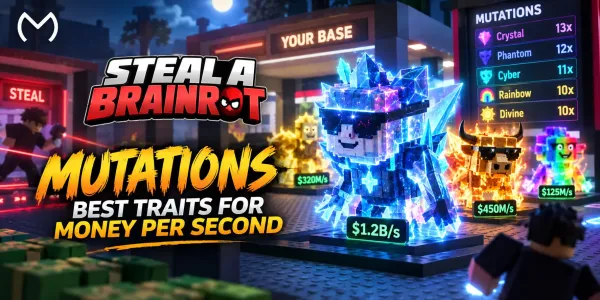
Rarity identifies the Brainrot’s general tier. A mutation changes the version of that Brainrot and can increase the income it produces. Current game data continues to show one primary mutation on a Brainrot at a time, while multiple traits can stack alongside that mutation, affecting the unit’s appearance and overall earnings.
Because Steal a Brainrot changes frequently, avoid relying on an old multiplier chart when money is involved. Verify the actual unit shown in the current listing or in-game before completing delivery.
For a simple purchase decision, ask:
How much does this exact unit earn without guessing from its name?
Then check whether the mutation justifies the difference in price.
If mutations are the main reason you are shopping, the MitchCactus Steal a Brainrot Traits and Multipliers guide gives more context on how enhanced Brainrots affect progression. The buying decision here should still be based on the current version you are actually receiving.
Think About Value in Three Ways
One universal “Brainrot value” number is not reliable enough for every buyer.
Instead, split value into three parts.
Income Value
How much does the Brainrot add to your base per second?
If your goal is faster cash generation, this should carry the most weight. Compare the listed income against other units around the same purchase price.
Progression Value
Does the unit solve a specific progression problem?
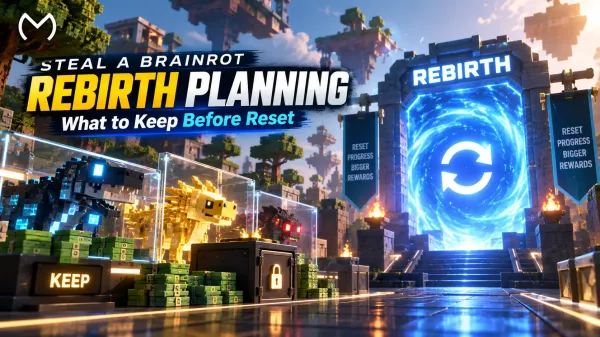
A Brainrot required for an upcoming rebirth may be more useful to you than another unit with better raw income. If rebirth is the goal, check the Steal a Brainrot Rebirth Requirements guide before buying so you do not spend on the wrong requirement.
Collection Value
Is it limited, difficult to replace or a version you specifically want?
This matters for collectors, but it should not be confused with guaranteed trading value. Player-market values move and are not official fixed game prices.
Prepare Your Base Before Delivery
Do this before opening the private-server invite.
Brainrots are stored in your base, and capacity is strictly limited, reaching up to 28 total base slots with current Rebirth 19 progression. You should still know where the new unit is going before delivery begins. Update 62 added the 28th slot alongside Rebirth 19.
If your base is already full:
- decide which low-value Brainrot can be replaced;
- do not remove a valuable or rebirth-required unit by mistake;
- make the space before the delivery starts.
This is particularly important for an expensive purchase. You do not want to be reorganizing your base while the unit you paid for is waiting to be collected.
How the Current Private-Server Delivery Works
The current MitchCactus delivery flow is not an account-login boost.
After purchasing, the service states that you receive a private-server invitation link. You join the server, the team uses your Roblox username to identify you, and you collect the Brainrot you purchased through the normal in-game stealing mechanic. Typical delivery is currently listed at under 20 minutes.
The practical order is:
- Choose the exact Brainrot.
- Complete the order.
- Check the private-server invitation.
- Join on the correct Roblox account.
- Make sure your base has room.
- Follow the delivery instructions inside the server.
- Bring the purchased Brainrot back to your base.
- Verify it before leaving.
Roblox’s own private-server documentation confirms that private experiences can be joined through server access configured by the server owner. If a server link does not work, privacy or server-access settings are worth checking before assuming the order itself has failed.
If you have completed those checks and already know which unit fits your base, you can Explore Steal a Brainrot items and compare the currently available Brainrots by their listed income and price.
Check out some of our most popular Boosting services:

Keep Account Access Out of the Delivery
A private-server Brainrot delivery should not turn into a request for your Roblox login credentials.
The current product instructions ask you to join through the server invite using your Roblox username; they do not describe an account-login delivery.
Roblox’s account safety guidance is clear about what should remain private:
- password;
- browser cookies;
- 2-Step Verification codes;
- backup codes;
- sensitive account information.
Roblox specifically recommends enabling 2-Step Verification and never sharing those credentials with another person.
There is another limitation worth knowing before any real-money item deal: Roblox says it cannot enforce or recover deals made outside its official platform trading systems.
That makes verifying the seller, order and exact item before the transfer more important.
Red Flags Before You Accept the Brainrot
Most delivery problems are easier to stop before you accept the unit than to resolve afterward. If the item, server or delivery instructions do not match what you ordered, pause and verify the details instead of rushing through the transfer.
Stop and recheck the order if:
- the Brainrot name does not match your purchase;
- the promised mutation is not visible on the delivered version;
- the income is different from what you expected;
- someone asks for your password or 2SV code;
- you receive an unrelated server link;
- your base is full and you have not decided what to replace;
- you are being rushed before checking the unit;
- a listing promises a fixed future trading value.
For a high-value unit, spend a few extra seconds confirming it before treating delivery as finished.
Check These Immediately After Delivery
Receiving the Brainrot is not the final check. Verify the unit while the delivery is still fresh so a wrong mutation, quantity or income figure can be identified before you sell, move or otherwise change the item.
Once the Brainrot reaches your base, verify:
Name: Is it the exact unit ordered?
Mutation: If the order included one, is the correct mutation present?
Income: Does its in-game earning output match the version you expected?
Placement: Is it safely stored in the intended base slot?
Order quantity: If you bought more than one unit, did every item arrive?
Do this before leaving the delivery server.
If something is wrong, keep the order details and report the mismatch while the delivery is still fresh rather than changing or selling the unit first.
Conclusion
A good Steal a Brainrot purchase starts with the exact unit, not the rarity label.
Check its real income, mutation and purpose. Compare the price with what that specific Brainrot adds to your progression, then prepare your base and Roblox account before opening the private-server delivery.
For income-focused players, M/S should carry more weight. Rebirth players should prioritize the exact requirement they are missing. Collectors can place more weight on rarity and limited availability.
Whatever your goal, verify the Brainrot again after delivery. That final check is easier than fixing a wrong unit after you have already moved on.
Frequently Asked Questions
What should I check before buying a Brainrot?
Confirm the exact unit name, listed income, mutation, price, your available base space and the current delivery method before paying.
Do mutations increase Brainrot income?
Yes. Mutations modify a Brainrot’s earning output as well as its appearance. Because the game changes often, verify the current mutation and resulting income instead of relying on an old multiplier list.
How are MitchCactus Steal a Brainrot items delivered?
The current service sends a private-server invite. You join using your Roblox account and collect the purchased Brainrot in-game, with typical delivery listed at under 20 minutes.
Do I need to give my Roblox password for Brainrot delivery?
The current delivery instructions use your Roblox username and a private-server invite, not an account-login process. Roblox also advises never sharing passwords, cookies, 2SV codes or backup codes.
What should I do if the delivered Brainrot is wrong?
Do not sell or alter it immediately. Recheck the order, unit name, mutation and income, keep the order details, and contact support about the mismatch while the delivery information is still available.