






















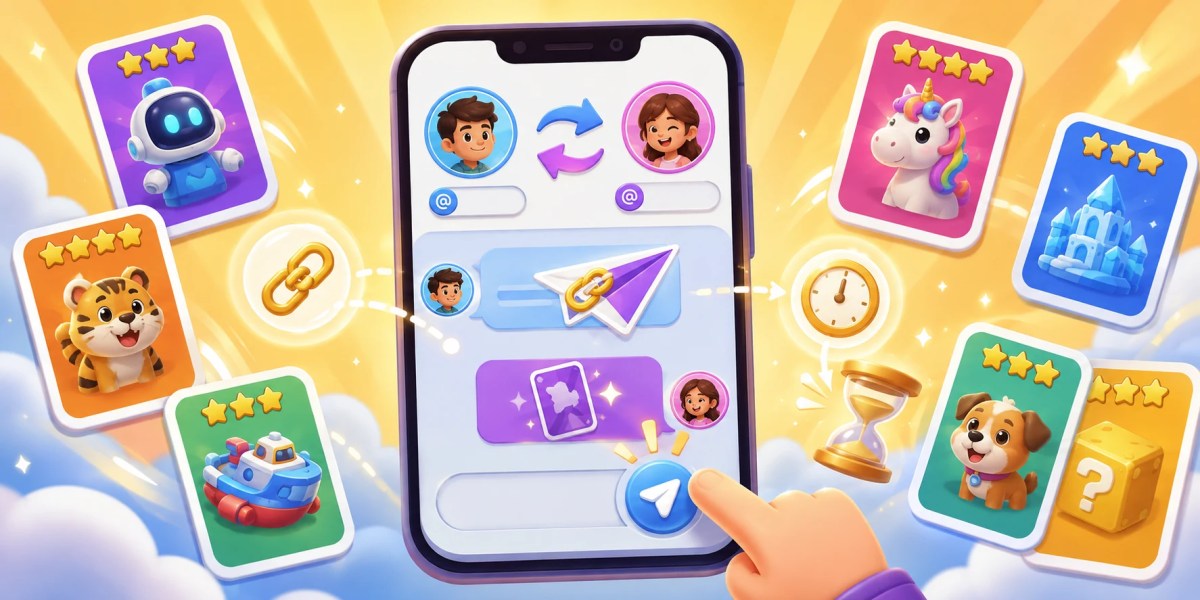
Monopoly Go sticker delivery is a straightforward process. However, you need to be careful with the in-game account details. For the delivery process, you do not need to share your account password. You only need your invite link and exact username. After that, the sender adds you as a friend and sends the sticker through Monopoly GO.
What Is Sticker Delivery
Sticker delivery means someone sends a sticker directly to your Monopoly GO account. This can happen through a friend gift. It can also happen through a secure sticker exchange.
The sender must first find your account inside the game. That is why your invite link matters. It lets the sender add you without guessing your profile.
Your username matters too. Many players use similar names. Some even use the same display picture. The username helps the sender pick the correct friend before sending anything.
Why Your Invite Link Is Needed
Your invite link is the fastest way to connect with another player. It works like a direct friend request path inside Monopoly GO.
Open the game first to access your invite link and then Tap Friends at the bottom-right side. Now, Tap Invite. Then tap Invite again. After that, copy the link.
The link usually starts with https://mply.io/. That is the format most players and sticker services ask for.
You should send the full link exactly as copied. Do not remove any part from it. A broken link can stop the sender from adding you. This is where Monopoly Go sticker delivery starts.
Username Required
Your username confirms who you are after the sender adds your link. This step looks small, but it prevents wrong deliveries.
You can find your username by tapping the menu icon at the top-right side. Your profile name appears under your picture. Copy the name exactly if possible as spelling and characters accounts as well.
Do not send an old name if you recently changed it. The sender may see your updated name after adding you. That can create confusion during delivery.
How The Delivery Process Usually Works
The sender opens your invite link first. Then they add you as a friend in Monopoly GO. After that, they search your name in their friends list. Once they find your profile, they select the sticker.
For a normal gift, they tap the sticker and choose Send to Friend. Then they choose your account.
For a secure exchange, they use the trade option. This is safer when both sides need to send something back. Once the sticker is sent, your game should show it soon. Most transfers appear quickly after the sender confirms the action.
Monopoly Go sticker delivery uses the official in-game friend system. That is why your login details are not needed.
Standard Delivery Timing
Most sticker transfers are quick. Many arrive instantly. Some arrive within a few minutes.
Sometimes the sticker is sent, but your game does not show it right away. This can happen because of server sync delays.
The app may also need a refresh. Force-closing Monopoly GO can help. Reopening the app may trigger the sticker pop-up.
How To Receive The Sticker Faster
After the sender confirms delivery, open Monopoly GO once. Let the game fully load. If nothing appears, close the app completely. Then reopen it. Do not just switch tabs. Fully restart the app from your phone’s app switcher.
You can also move around the board once. This may help the game refresh your account state. If the sticker still does not appear, check your album manually. Sometimes the pop-up does not show, but the sticker is already added.
Gift Delivery Vs Sticker Exchange
A sticker gift is one-way. The sender chooses your name and sends the sticker. A sticker exchange is safer when both players are trading. It lets the other player send something back before the deal completes.
For paid sticker delivery, gifts are common when you are buying a specific sticker. For player-to-player trades, exchanges are usually better.
You can also check out our other Monopoly Go Services:

Common Mistakes That Delay Delivery
Most sticker delivery delays come from small details that are easy to overlook. Checking your information before delivery can save time and prevent unnecessary waiting.
- The biggest mistake is sending the wrong invite link. Some players copy an old link from chat. Others send a broken link by mistake.
- Another mistake is giving the wrong username. This happens after name changes.
- Some players also forget the daily send limit (5 regular trades per day, with an additional 5 daily trades granted during Golden Blitz events). They expect instant delivery even when the sender has reached their cap.
- Another issue is not restarting the app. The sticker may be sent, but the game has not refreshed yet.
Conclusion
Monopoly Go sticker delivery works through invite links, usernames, and the game’s friend system. Your link lets the sender add you. Your username helps them choose the correct account. Delivery is often fast, but server sync can delay the sticker screen.
Looking for specific stickers without waiting on random packs? Explore Monopoly GO Stickers from MitchCactus. Delivery is under 20 minutes after you provide your invite link and username. Stickers are sent through the official in-game system. You can also contact live chat before ordering for custom questions.
FAQs
Can I receive a sticker while my app is closed?
Yes, you can receive a sticker while the app is closed because the send action happens from the other player’s account. You may not see the sticker screen until you reopen Monopoly GO. Let the game load fully before checking your album.
What should I do before giving my invite link to someone?
Check that you are using your current Monopoly GO account first. Some players have multiple game profiles linked through different devices. Also avoid posting your link in random public comments. Share it only where the trade is active.
Is Sticker Delivery Safe?
Sticker delivery is safer when it stays inside the game. You should not share your password for basic sticker delivery. Your invite link only helps someone add you. Your username only helps them identify you. Still, you should choose trusted sellers like MitchCactus.
Why is my album not showing the new sticker?
Your album may not refresh instantly after the send action. Open the exact set where the sticker belongs and check the slot manually. Sometimes the reward animation appears late. Sometimes there is no clear pop-up.