









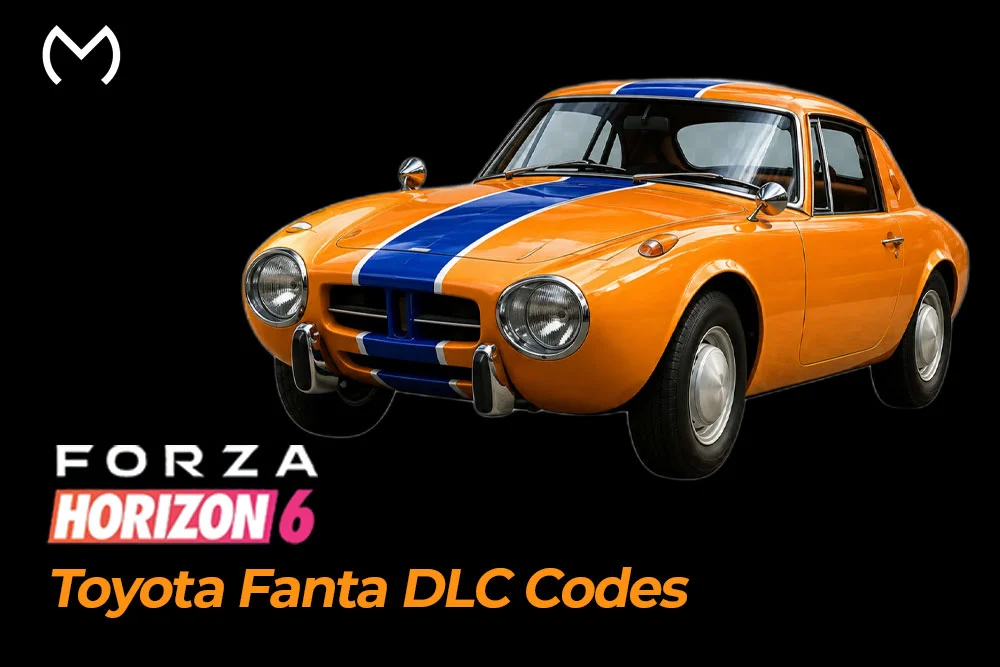
The Toyota Fanta code in Forza Horizon 6 is for the 1965 Toyota Sports 800 Fanta Edition, a Fanta-themed promotional reward rather than a normal Autoshow car. You do not unlock it through regular races, Wheelspins, or Credits. The official method is tied to Fanta’s promo process, where players scan a QR code or use the Fanta promotion site, complete a minigame, and choose the Forza Horizon 6 reward.
This guide explains how to unlock the Toyota Fanta code through the official route, how redemption works, which platforms are supported, and when buying a code is the faster option. If you want the Toyota 800 Fanta DLC car without dealing with promo steps, platform confusion, or waiting, a direct DLC code can be the easier path.
Quick Answer: How Do You Unlock The Toyota Fanta Code?
To unlock the Toyota Fanta code officially, scan the QR code on a participating Fanta product or visit the Fanta promotion site. If you are on a non-mobile device, the site may ask you to scan a QR code with a smartphone or tablet. After that, play one of the themed minigames, get your first win, and select the Forza Horizon 6 reward from the reward screen.
- Scan the QR code on a participating Fanta product.
- Open the Fanta promotion site if you do not have the QR code.
- Use a smartphone or tablet when the site asks for mobile access.
- Play any one of the three themed minigames.
- Keep trying until your first win.
- Choose the Forza Horizon 6 in-game reward from the reward selection screen.
- If you want the code directly, you can use Toyota Fanta DLC codes instead of going through the promo steps.
What Is The Toyota 800 Fanta Edition In FH6?
The Toyota 800 Fanta Edition is a Fanta-themed version of the 1965 Toyota Sports 800 in Forza Horizon 6. Forza Wiki describes it as a rear-wheel drive Toyota sports car and a promotional reward with a Fanta-themed livery. MitchCactus lists the code as unlocking the exclusive Toyota 800 Fanta DLC car.
| Detail | Meaning |
| Car | 1965 Toyota Sports 800 |
| Edition | Fanta Edition |
| Type | Promotional DLC / code car |
| Main value | Collector promo vehicle |
| Unlock method | Fanta promo or DLC code |
| Platform focus | Xbox and PC through Windows Store |
This car is mainly valuable because it is a limited promo-style reward. Players who collect rare code cars or branded DLC vehicles will care about it more than players who only want performance upgrades.
Fanta Promo Method: QR Code, Minigame, And Reward Selection
The Fanta promo method is different from a normal game unlock. You are not grinding races or buying the car with Credits. Instead, the official route sends you through the Fanta promotion process, where you scan a QR code, play a short minigame, and pick the Forza Horizon 6 reward. Official Forza support says the minigames allow unlimited tries until your first win.
Forza also explains the Fanta reward and Xbox code process for the Toyota Sports 800 Fanta Edition.
- Scan the QR code on a participating Fanta product.
- Or visit the Fanta promotion site directly.
- Use a smartphone or tablet if the site asks for mobile access.
- Choose one of the three themed minigames.
- Keep playing until you get your first win.
- Open the reward selection screen.
- Select the Forza Horizon 6 in-game reward.
- Follow the code redemption instructions.
This is the best free route if the promo is available to you. If you cannot access the promo or do not want to deal with the QR/minigame process, buying the code is the more direct option.
How To Redeem The Toyota Fanta DLC Code
After you receive the Toyota Fanta DLC code, redeem it on the correct Microsoft or Xbox account. This part matters because the code is tied to the account where it is redeemed. If you use the wrong account, the car may not appear on the Forza Horizon 6 profile you actually play on.
Follow this simple process:
- Sign in to the Microsoft account linked to your FH6 profile.
- Open the Xbox or Microsoft Store redemption page.
- Enter the Toyota Fanta DLC code.
- Confirm the redemption.
- Let the entitlement or download apply to your account.
- Launch or restart Forza Horizon 6.
- Check your garage once the car is available.
If the car does not show right away, restart the game and confirm you redeemed the code on the same Microsoft account you use for FH6. This is especially important for players switching between Xbox, PC, Windows Store, and Steam ecosystems.
Xbox, Windows Store PC, Steam, And PS5 Support
The Toyota Fanta DLC code is mainly for the Xbox / Microsoft ecosystem. MitchCactus lists the Toyota Fanta DLC code for Xbox and PC through the Windows Store, and says it is not currently available for Steam. Official Forza support also says the Fanta reward sends an Xbox redemption code after the user selects the Forza Horizon 6 reward and links the Xbox account.
- Xbox: Supported through Xbox/Microsoft redemption.
- Windows Store PC / Xbox App: Supported if you use the correct Microsoft account.
- Steam: Not currently supported by the MitchCactus Toyota Fanta code listing.
- PS5: Do not assume support unless the seller or official promo confirms it.
- Wrong account risk: redeeming on the wrong Microsoft account can stop the car from appearing on the FH6 profile you actually use.
This section matters because most Toyota Fanta code problems come from platform confusion, especially between Steam, Xbox App, and Microsoft accounts.
Why Your Toyota Fanta Car May Not Show In Garage
If you redeemed the Toyota Fanta code but cannot see the car, first check your garage, not the Autoshow. Official Forza support says the Fanta Edition car will not show in the Autoshow, and if the game was running during redemption, you may need to restart Forza Horizon 6 to receive it in your garage.
Common reasons include:
- You redeemed the code on the wrong Microsoft account.
- You are checking the Autoshow instead of the garage.
- The game needs to restart after redemption.
- You are playing on Steam while the code is tied to Xbox/Microsoft redemption.
- The entitlement has not updated yet on your account.
- The car may require the latest FH6 update before it appears.
MitchCactus also notes that although users can redeem the code, the Toyota 800 Fanta car becomes driveable once the game/release support is active for that content.
Can You Buy Forza Horizon 6 Toyota Fanta Codes?
Yes, you can buy Toyota Fanta DLC codes if you want the Toyota 800 Fanta DLC car without going through the QR code, minigame, and promo reward process. The official route works if you can access the Fanta promotion, but buying is simpler when you want the code directly.
MitchCactus lists Forza Horizon 6 Toyota Fanta DLC Codes with instant email delivery, a redemption tutorial, Xbox and PC Windows Store support, 24/7 live chat support, and a moneyback guarantee.
For the direct route, you can check buy Forza Horizon 6 Toyota Fanta DLC codes and redeem the code on the correct supported platform.
Official Fanta Unlock vs Buying A Code
The official route is best if you can access the Fanta promo and complete the minigame process. Buying is better if you want a direct code without scanning QR codes, creating promo accounts, or waiting through extra steps.
| Route | Best For | Good Side | Watch Out |
| Fanta QR / Minigame | Players who can access participating Fanta products | Official promo route, no reseller needed | Requires QR/promo access, minigame completion, Coca-Cola account, and Xbox account link |
| Buying Toyota Fanta Code | Players who want direct access | Instant email delivery, no minigame, no QR hunt | Must confirm Xbox / Windows Store PC support before buying |
| Random Marketplace | Deal hunters | May find cheaper listings | Higher risk of used codes, wrong-platform codes, or weak support |
Official Forza says the promo route requires completing one themed minigame, reaching the reward selection screen, choosing the FH6 reward, logging in or creating a Coca-Cola account, and linking an Xbox account.
Unlock More Forza Horizon 6 Promo Cars Faster

How To Avoid Used Or Wrong-Platform Fanta Codes
The biggest risk with promo DLC codes is not knowing whether the code is valid, unused, and compatible with your platform. Since the Toyota Fanta code is tied to Xbox/Microsoft redemption, you should check platform support before buying.
Use this checklist before payment:
- Confirm the code works for Xbox or Windows Store PC.
- Do not buy for Steam unless the seller clearly confirms support.
- Do not buy for PS5 unless support is clearly confirmed.
- Avoid sellers who only provide screenshots instead of a usable code.
- Ask whether the code is unused and valid.
- Check refund or moneyback terms.
- Prefer sellers with live support and a redemption tutorial.
- Redeem the code on the correct Microsoft account.
- Keep the order email until the car appears in your garage.
MitchCactus states its Toyota Fanta DLC code service includes instant email delivery, a tutorial, 24/7 support, and a moneyback guarantee, which are useful checks for this type of purchase.
Toyota Fanta Code vs Peel P50 Trolli Code
Both codes are useful for collectors, but they are not the same. The Toyota Fanta code is focused on the Toyota 800 Fanta DLC car, while the Peel P50 Trolli code unlocks the 1962 Peel P50 Trolli Edition. MitchCactus lists Toyota Fanta for Xbox and PC via Windows Store, while the Peel P50 Trolli page supports Xbox, PC, and Steam.
| Code | Best For | Platform Note | Link |
| Toyota Fanta Code | Players who want the Toyota 800 Fanta promo car | Xbox + Windows Store PC | Toyota Fanta DLC Codes |
| Peel P50 Trolli Code | Players who want the Peel P50 Trolli collector car | Xbox, PC, and Steam on MitchCactus | Peel P50 Trolli Codes |
Choose Toyota Fanta if you want the Fanta-branded Toyota collector car. Choose Peel P50 Trolli if you want the Trolli-themed microcar and need broader Steam support.
Final Thoughts
The Toyota Fanta code is a promo-style FH6 unlock, not a normal car you buy from the Autoshow. The official Fanta route works if you can access the QR code, complete the minigame, and claim the FH6 reward through the promo system. If you want the Toyota 800 Fanta DLC car without dealing with the promo steps, buying a code is the faster option. Just confirm Xbox or Windows Store PC support first, then redeem it on the correct Microsoft account and check your garage after restarting the game.
FAQs About Forza Horizon 6 Toyota Fanta Code
How do you get the Toyota Fanta code in FH6?
Officially, you scan the QR code on a participating Fanta product or visit the Fanta promotion site, complete one themed minigame, choose the Forza Horizon 6 reward, log in or create a Coca-Cola account, and link your Xbox account to receive the Xbox code.
Can you buy the Toyota Fanta DLC code?
Yes. If you want the code directly, you can buy Toyota Fanta DLC codes and redeem them on the supported platform.
Does the Toyota Fanta code work on Steam?
MitchCactus says the Toyota Fanta DLC code is currently for Xbox and PC through the Windows Store, not Steam.
Does the Toyota Fanta code work on PS5?
Do not assume PS5 support. MitchCactus says the Toyota 800 Fanta Edition cannot currently be redeemed on PS5.
Why is my Toyota Fanta car not showing?
Check your garage, not the Autoshow. Official Forza support says the car does not appear in the Autoshow, and if the game was running during redemption, you may need to restart the game.
Is the Toyota Fanta Edition a normal Autoshow car?
No. It is a promo reward / DLC code car, not a normal Autoshow unlock.
Is buying a Toyota Fanta code worth it?
It is worth it if you want the Toyota 800 Fanta DLC car without dealing with QR codes, minigames, account linking, or promo availability. Just make sure the code supports your platform.



