If you’ve just dived into the new Riven Tides update, you’ve probably heard the buzz about the ARC Raiders Dockmaster’s Detector. This little gadget lets you go treasure hunting – but only if you know the drill. Don’t sweat it, though – this guide will break it all down so you can start digging like a pro in no time.
What is the Dockmaster’s Detector Anyhow?
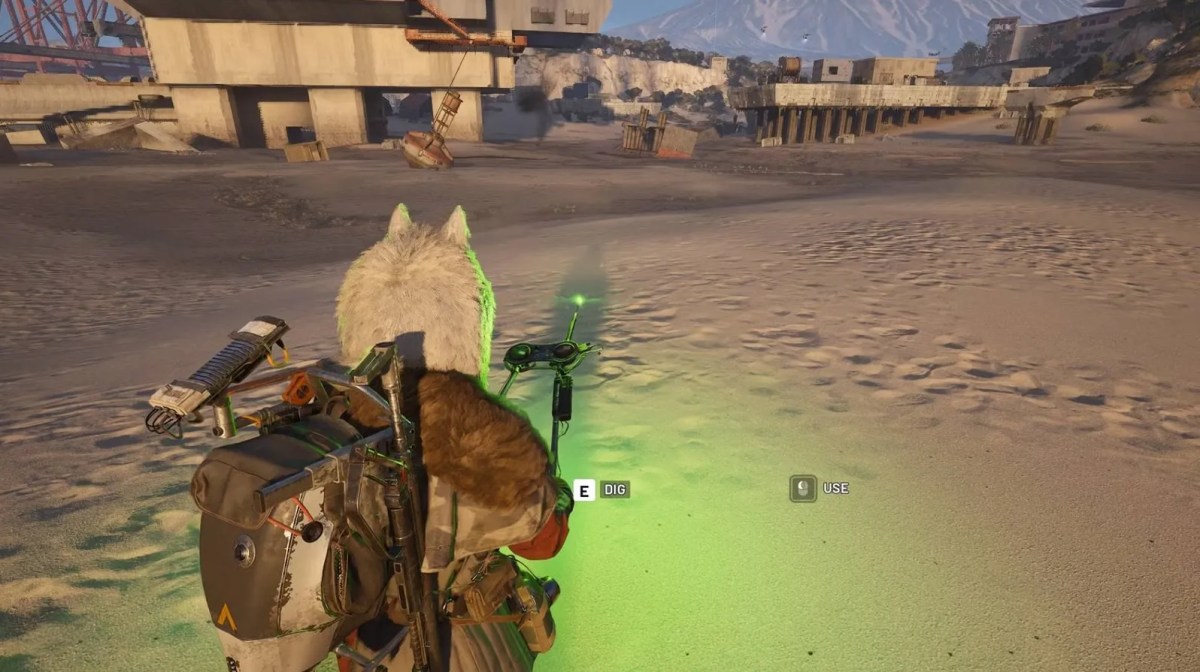
The ARC Raiders Dockmaster’s Detector is pretty much a metal detector that comes in handy during the Beachcombing map condition. Its main job is to help you track down that hidden loot buried under the sand, especially around the Seabed area of the map.
You can score some great items like new guns, crafting gear and event collectables, but watch out – sometimes digging up a sandcastle will unveil something that’ll give you the frights instead.
How to Get the Detector
Before using it, you need one. Here are the easiest ways:
- Complete the “Shoring Up Defences” quest.
- Get it as a reward from the Avian Alarm project.
- Loot it from containers during Beachcombing.
These are the most reliable ways to grab your first ARC Raiders Dockmaster’s Detector.
How to Use the Dockmaster’s Detector
Using the ARC Raiders Dockmaster’s Detector is simple once you understand the process:
1. Go to the Right Map Condition: The detector only works during the Beachcombing event on Riven Tides. If you try using it elsewhere, it won’t do anything.
2. Equip the Detector: Place it in your quick-use slot. Boost your in-game currency fast. Get your hands on coin boosts now!
3. Head to the Beach Area: Move toward sandy zones, especially the northern Seabed area, where loot is buried.
4. Activate the Detector: Turn it on and listen carefully.
- No sound means no loot nearby.
- Beeping means you’re close.
5. Follow the Signal – As you move closer:
- Beeping gets faster.
- Light flashes quicker.
6. Start Digging: Once the signal turns strong (usually green), you’ll get a “Dig” prompt. Interact to uncover loot. Upgrade your gear with the best items: Buy equipment for sale at MitchCactus now!
That’s the full loop of using the ARC Raiders Dockmaster’s Detector: scan, follow, dig, repeat.
What Can You Find?
The loot from the ARC Raiders Dockmaster’s Detector is random, which makes it exciting:
- Ammo and supply boxes
- Crafting materials
- Event items like ship models
- Weapons
- Hidden valuables
But it’s not always safe.
Watch Out for These Dangers
Using the ARC Raiders Dockmaster’s Detector isn’t risk-free:
- Mines that explode.
- Enemy robots like Ticks.
- Open beach areas with no cover.
- Other players are hunting the same loot.
Always stay alert while scanning. Find out all about the Game Pass in our guide. It has everything you need to know.
Pro Tips for Faster Loot
Want better results with the ARC Raiders Dockmaster’s Detector? Try this:
- Don’t scan while walking aimlessly, move, stop, scan.
- Stick to high-traffic beach zones.
- Watch for already-dug spots (means loot nearby).
- Travel light so you can carry more items.
- Always listen carefully, sound is everything.
The ARC Raiders Dockmaster’s Detector is one of the most fun tools in the game right now. It turns simple exploration into a treasure hunt full of surprises. Stay up to date on live events with our guide. Dive in now for the details.
Master the signals, stay alert, and you’ll turn every Beachcombing run into a rewarding adventure.