






Updated June 2026: The Black Ops 7 Overclock system remains active in Multiplayer. This page now explains how progression works, how to equip unlocked modifiers, and which current Equipment, Field Upgrade, and Scorestreak effects are available.
Black Ops 7 lets players improve more than weapons. The Overclock system gives Tactical Equipment, Lethals, Field Upgrades, and Scorestreaks their own usage-based progression tracks.
Each eligible item has two Overclock modifiers. You unlock them by using that item successfully in Multiplayer, then select the modifier that fits your class or game mode.
However, the two modifiers do not stack. You can equip only one Overclock on an item at a time.
How Does the Black Ops 7 Overclock System Work?
Every eligible item starts with its normal base effect. As you use it in matches, its individual progress bar fills and unlocks two additional levels:
| Item Level | What You Get |
|---|---|
| Level 1 | Normal item with no Overclock equipped |
| Level 2 | First Overclock modifier |
| Level 3 | Second Overclock modifier |
After unlocking both modifiers, choose either Level 2 or Level 3 from the loadout menu. The second option is not automatically better in every situation. One modifier may lower a Scorestreak’s cost, while the other improves its durability or effect.
The official Multiplayer equipment breakdown confirms that the system covers four main categories:
- Tactical Equipment
- Lethal Equipment
- Field Upgrades
- Scorestreaks
Weapons use attachments and Weapon Prestige instead. Perks use Combat Specialties, so neither category follows the normal Overclock system.
How to Unlock and Equip Overclocks
You do not need to complete a separate challenge before starting an Overclock track.
- Open Multiplayer.
- Go to Weapons and choose a custom Loadout.
- Select your Tactical, Lethal, or Field Upgrade. For a streak, open the Scorestreak menu.
- Highlight the item and check its Overclock progress.
- Equip the item and use it successfully in matches.
- Return to the item after reaching Level 2 or Level 3.
- Select one unlocked Overclock modifier.
Useful deployment matters more than simply carrying the item. For example, land Tactical effects on enemies, damage or eliminate targets with Lethals, place Field Upgrades where they help the team, and earn equipped Scorestreaks during normal play.
Merely selecting an item without using it will not finish its progression track.
Players working through wider Multiplayer challenges can compare the available matches built around focused BO7 progression after choosing the equipment they want to practice.
List of Black Ops 7 Overclock Upgrades
The tables below cover the core equipment and Scorestreaks that currently have active Overclock modifiers.
Some seasonal or bonus items appear in the Multiplayer inventory without a normal Overclock track. When the in-game menu shows no Level 2 or Level 3 effect, that item cannot be progressed through this system.
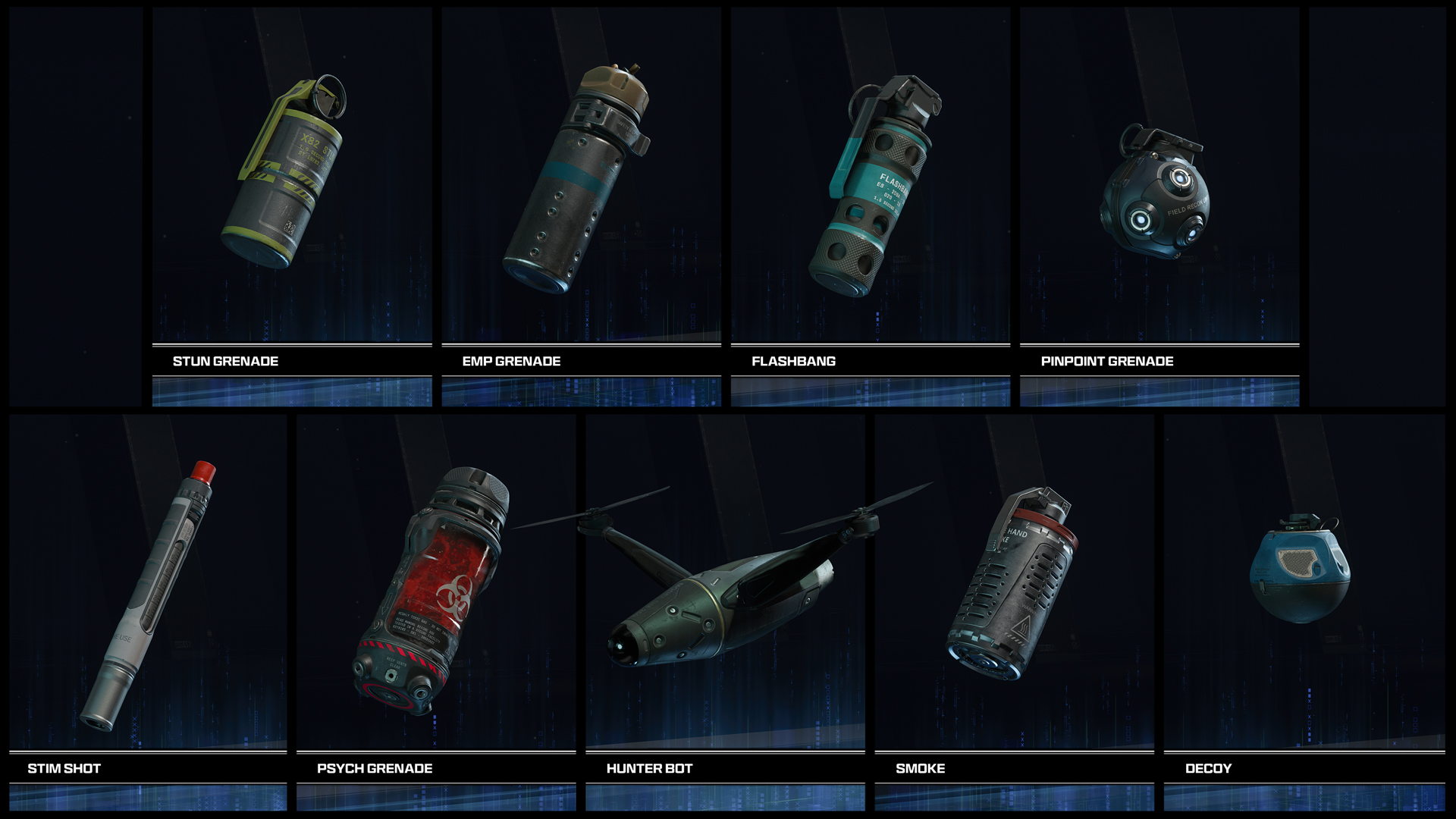
Tactical Equipment Overclocks
| Tactical | Overclock 1 | Overclock 2 |
|---|---|---|
| Stun Grenade | Increases stun duration | Further slows enemy movement while stunned |
| EMP Grenade | Expands the disruption radius | Allows cooking for extra EMP bursts |
| Flashbang | Widens the full-flash angle | Allows cooking for additional detonations |
| Pinpoint Grenade | Extends grenade lifetime and detection radius | Shares tagged enemies on allied minimaps |
| Stim Shot | Removes player debuffs | Adds a temporary movement-speed boost |
| Psych Grenade | Extends the hallucination effect | Makes the gas deal damage over time |
| Hunter Bot | Deals more damage to enemy Scorestreaks | Allows cooking to lock onto a target |
| Smoke Grenade | Awards more score from assists | Detonates smoke on impact |
| Decoy Grenade | Extends the active duration | Plays footstep audio instead of gunfire |
The Stim Shot options suit different situations. Debuff removal helps against Tactical-heavy teams, while the movement boost supports aggressive classes and fast escapes.
Lethal Equipment Overclocks
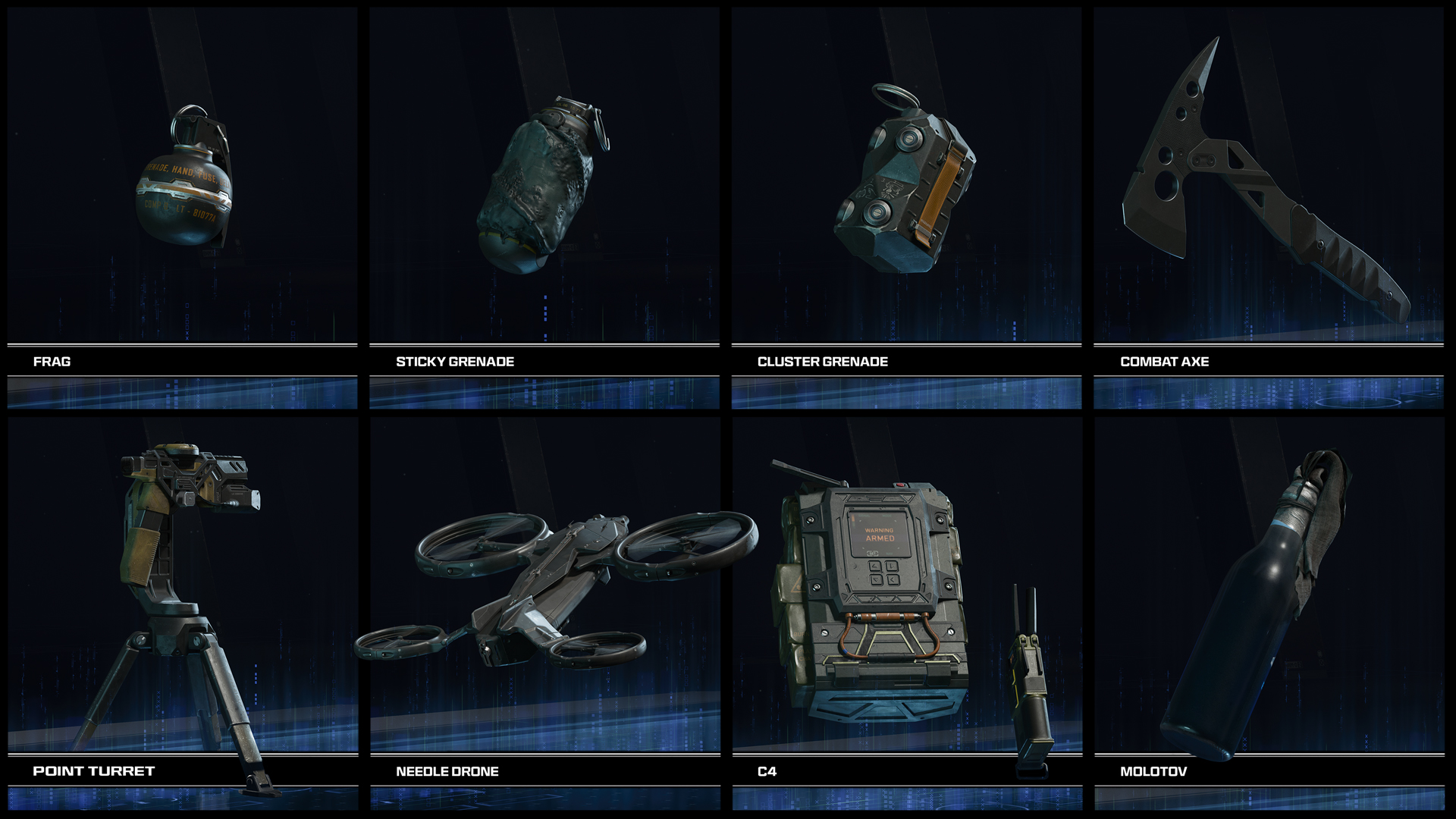
| Lethal | Overclock 1 | Overclock 2 |
|---|---|---|
| Frag Grenade | Improves explosive lethality | Increases throw distance and adds a cooking arc |
| Semtex | Improves explosive lethality | Allows the fuse to be cooked |
| Cluster Grenade | Allows the fuse to be cooked | Adds another mini grenade |
| Combat Axe | Speeds up the raise animation | Throws farther and faster |
| Point Turret | Increases the rate of fire | Allows placement on walls and ceilings |
| Needle Drone | Improves explosive lethality | Adds a manual-flight speed boost |
| C4 | Non-lethal damage delays healing | Detonates faster without the clacker |
| Molotov | Increases fire damage | Covers a larger area |
The Point Turret’s placement modifier provides one of the biggest mechanical changes in the category. Wall and ceiling placement can create angles that players do not check as quickly as a turret placed on the floor.
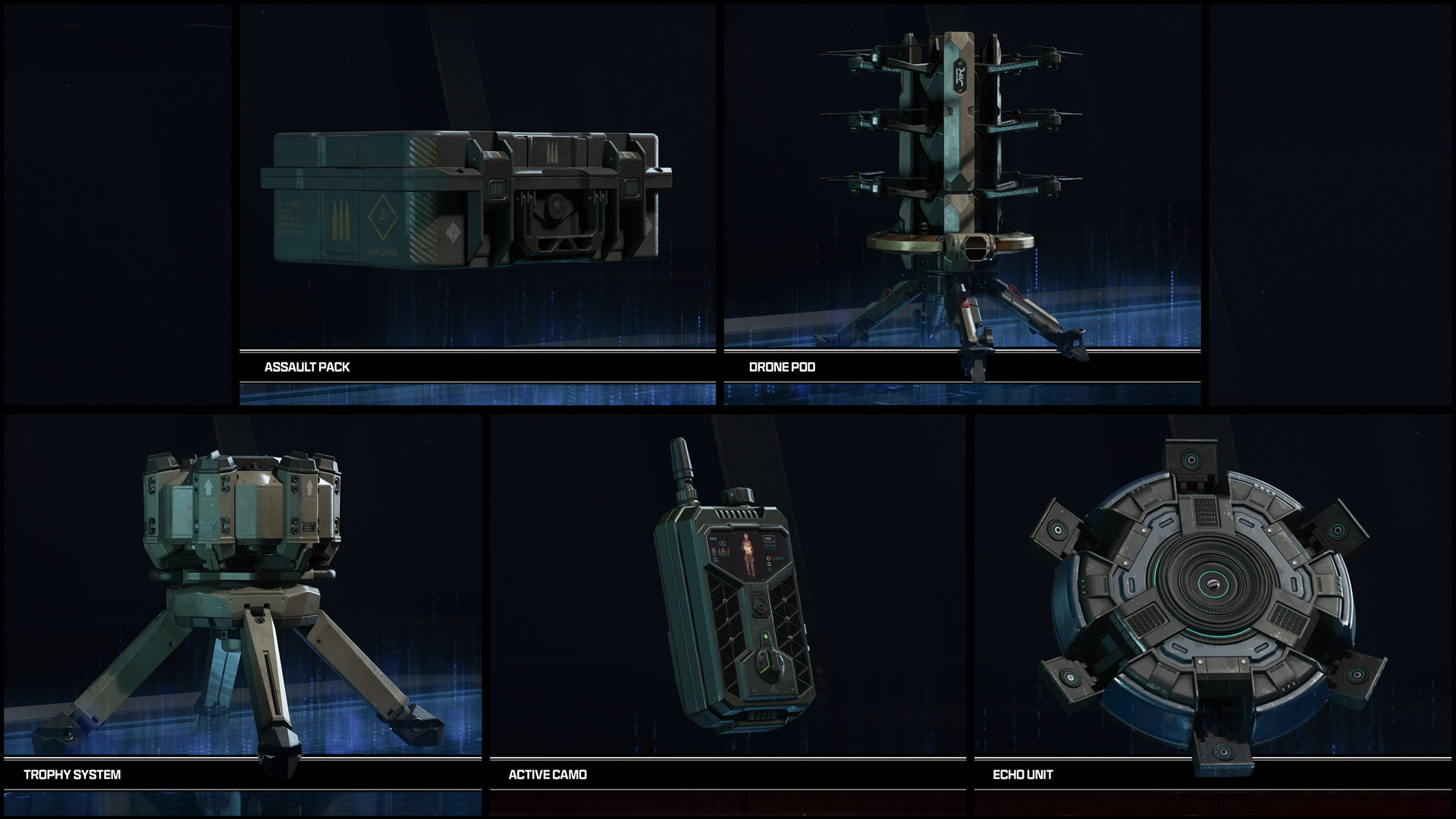
Field Upgrade Overclocks
| Field Upgrade | Overclock 1 | Overclock 2 |
|---|---|---|
| Assault Pack | Reduces charge time | Awards additional score from eliminations |
| Drone Pod | Launches drones faster | Marks each drone’s detonation point on the minimap |
| Trophy System | Reduces charge time | Adds two explosive interception charges |
| Active Camo | Extends duration and reduces charge time | Gunfire briefly reveals you instead of ending the effect |
| Echo Unit | Reduces charge time | Makes the hologram flash and stun nearby enemies |
| Squad Link | Expands its area of effect | Doubles the score earned through Squad Link |
| Scrambler | Expands its area of effect | Periodically reveals enemies inside the affected area |
| Fear Trap | Extends its effect duration | Makes the released gas deal damage over time |
| Black Hat | Reduces the time needed to hack | Allows targeting enemy electronics through walls |
| Mute Field | Extends its active duration | Keeps unsuppressed gunfire off enemy minimaps |
Active Camo’s second modifier changes how the Field Upgrade behaves rather than simply improving a number. It lets aggressive players fire, become visible briefly, and return to partial concealment while the effect remains active.
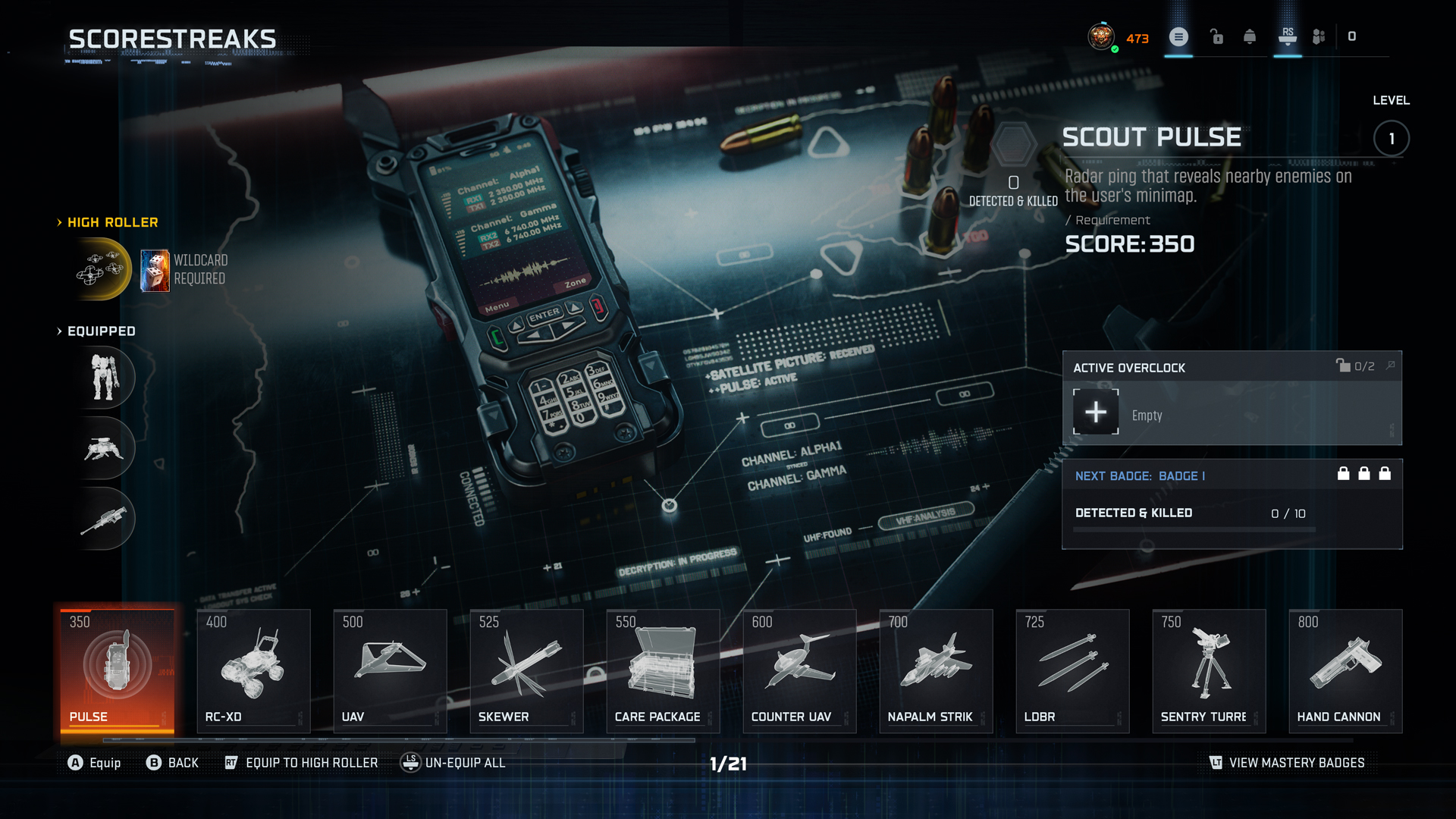
Scorestreak Overclocks
| Scorestreak | Overclock 1 | Overclock 2 |
|---|---|---|
| Scout Pulse | Lowers the score cost | Shows directional arrows instead of red dots |
| Skewer | Increases projectile velocity | Prioritizes more important targets |
| D.A.W.G. | Extends active duration | Adds Sentry Mode with a supply pack and Trophy System |
| Deadeye Drone | Adds more shots to the magazine | Adds a grenade for aerial bombing |
| RC-XD | Improves resistance to gunfire | Shows indicators for obscured nearby targets |
| Hellstorm | Adds another cluster missile | Allows missiles to lock onto Scorestreaks |
| UAV | Lowers the score cost | Adds a flare and improves bullet resistance |
| Gravemaker | Adds more ammunition | Reduces the charge time before firing |
| Counter UAV | Lowers the score cost | Adds a flare and improves bullet resistance |
| Sentry Turret | Increases its rotation range | Allows remote control |
| Watchdog Helo | Improves durability | Lets you direct it to guard an area |
| Care Package | Lowers the score cost | Allows one reroll of the delivered streak |
| HKDs | Improves durability | Deploys additional GDU drop pods |
| Napalm Strike | Makes the flames burn longer | Reveals enemies longer and shows movement direction |
| Legion | Extends drone flight duration | Launches several drones in quick succession |
| LDBR | Drops additional projectiles | Marks a second zone with reduced payload per area |
| Hand Cannon | Adds more ammunition | Equips Dual Hand Cannons |
| EMP Systems | Lowers the score cost | Blocks enemy Scorestreaks and Field Upgrades longer |
| HARP | Lowers the score cost | Adds flares against lock-on rockets |
| VTOL Warship | Improves durability | Adds a directional boost that breaks missile lock |
| Interceptors | Allows deployment without an active threat | Lowers the score cost |
| Rhino | Extends its runtime | Adds nearby-enemy radar with improved range and duration |
Lower-cost Overclocks work well when you want more frequent streaks. Meanwhile, durability and effect-based modifiers suit players who can already earn higher streaks consistently.
Items Without a Normal Overclock Track
Not every item visible in the current Multiplayer pool has Level 2 and Level 3 modifiers.
Depending on the active season and unlocked content, the following may appear without a normal Overclock track:
- Shock Charge
- Impact Grenade
- Thermo Grenade
- Morphine Injector
- Tactical Insertion
- Certain bonus or returning Scorestreaks
Check the item’s menu before grinding it. If the panel shows no Overclock levels, repeated use will not create a hidden modifier.
Best Overclocks to Unlock First
There is no single best choice for every mode, but these upgrades provide noticeable value without requiring a specialized class.
Stim Shot Movement Boost
The extra speed helps after healing, during a flank, or when escaping a crowded objective. Choose debuff removal instead when the opposing team relies heavily on Tactical Equipment.
UAV Lower Score Cost
A cheaper UAV gives your team information more often. It also helps players who cannot consistently reach expensive streaks.
Trophy System Extra Charges
Two additional interception charges make a difference around Hardpoint and Domination objectives, especially against grenade-heavy teams.
Active Camo Temporary Reveal
This modifier lets you fire without ending the entire ability. It suits close flanks and objective pushes where remaining hidden for the full duration is unrealistic.
Point Turret Surface Placement
Wall and ceiling placement creates unusual lines of fire and makes the turret harder to spot immediately.
Care Package Reroll
A reroll helps when the first drop gives you a low-value streak. The lower-cost modifier remains better when your main goal is earning more packages per match.
How to Level Overclocks Faster
First, equip only the item you actively want to progress. Constantly changing Equipment and Scorestreaks spreads your usage across several tracks.
Next, choose modes that create repeatable opportunities:
- Hardpoint: Strong for Trophy Systems, Point Turrets, Drone Pods, grenades, and area-control upgrades.
- Domination: Useful for Squad Link, Smoke, Trophy Systems, and defensive Scorestreaks.
- Kill Confirmed: Generates objective score and can help you earn lower and mid-tier streaks.
- Team Deathmatch: Better for straightforward combat Equipment and player-controlled streaks.
Also, use the correct modifier for the map. A lower-cost UAV can outperform added durability on a short indoor map, while a protected UAV may last longer on open maps with fewer immediate counters.
Finally, avoid expecting Weapon Double XP to level Equipment. Overclock progression follows the individual item’s successful usage rather than normal weapon levels.
The main Black Ops 7 progression section brings the current Multiplayer, camo, account, rank, and challenge options together.
How Overclocks Differ From Other BO7 Progression Systems
Overclocks affect Multiplayer Equipment and Scorestreaks. They do not replace:
- Weapon attachments
- Weapon Prestige
- Player Prestige
- Zombies Augments
- Endgame abilities
- Perks or Combat Specialties
For example, Weapon Prestige resets one gun’s level and attachments in exchange for new rewards. Overclock progression develops a Tactical, Lethal, Field Upgrade, or Scorestreak instead.
Players working toward the final Multiplayer mastery reward can also review the available Singularity Camo progression option separately from Equipment upgrades.
Check out some of our most popular Boosting services:


Black Ops 7 Overclock FAQs
What is the Overclock system in Black Ops 7?
It is a Multiplayer progression system for Tactical Equipment, Lethals, Field Upgrades, and Scorestreaks. Successful use unlocks two optional modifiers for each eligible item.
How do you level up an Overclock?
Equip the item and use it effectively during Multiplayer matches. Progress depends on the item, so land Equipment effects, deploy useful Field Upgrades, and earn and use your selected Scorestreaks.
Can you equip both Overclock modifiers at once?
No. You may unlock both options, but you select only one modifier for the item in your loadout.
Do weapons have Overclocks?
No. Weapons use attachments, Gunsmith builds, camos, and Weapon Prestige. The standard Overclock menu applies to Equipment, Field Upgrades, and Scorestreaks.
Do Perks have Overclocks?
No. Perks use the Combat Specialty system. Overclocks do not add additional Perk levels.
Why is my Overclock not progressing?
Make sure the correct item is equipped and that you are using it successfully. Also check whether that seasonal item actually has an Overclock track. Some added Equipment and bonus streaks show no Level 2 or Level 3 modifiers.
Which Overclock should I unlock first?
Stim Shot, UAV, Trophy System, Active Camo, and Point Turret all offer useful early choices. The strongest option depends on your preferred modes and whether you value lower costs, faster recharge, information, or direct lethality.
Are Overclocks the same as Zombies Augments?
No. Zombies Augments modify Perks, Ammo Mods, and Field Upgrades inside Zombies. Multiplayer Overclocks follow a separate item-based progression system.
Conclusion
The Black Ops 7 Overclock system rewards players for learning more than their primary weapon. Each eligible Tactical, Lethal, Field Upgrade, and Scorestreak gains two modifiers, but your loadout can use only one at a time.
Start with an item you already use regularly, finish its progression track, and select the modifier that supports the map and mode. A cheaper streak, faster Field Upgrade, or better Equipment effect can matter more than forcing the same option into every class.