































There is no universal way to level up your character in Roblox. Each experience, or individual game, created by a developer sets its own rules.. This Roblox progression guide is for players who want to progress more in the game they enjoy. So decide which game you want to play and what you want to unlock next before you follow any leveling method.
Choose the Experience and Define Your Next Unlock
Progressing in each Roblox game is different, and it doesn’t carry over to another.
First, check who the creator of the game is, what the game’s current instructions say, and decide what it is that you want to unlock. It could be a level, a badge, a skill achievement, or even a currency. Not every game uses all of these.
Follow the requirements shown in your chosen experience rather than copying another game’s farming method. There is no universal XP, max level, rebirth system, or daily reward system across Roblox. So check which features your games actually offer.
Learn the Core Loop Before Optimizing It
A core loop is a set of repeated actions players perform to make progress. According to Roblox’s Creator Hub onboarding guide, it is a pattern that a game teaches new players. If you are a beginner to Roblox, start by completing a tutorial, then check what it rewarded you with.
Focus on tasks that actually help you make progress, not something unrelated like chasing a leaderboard spot.
| Goal Type | Requirement to inspect | Suitable Action | Confirmation Signal |
|---|---|---|---|
| Level or Rank | The stated threshold | The action that grants you that progress | The meter or rank changes |
| Currency | Cost of the target item | The activity you can complete reliably | Balance rises |
| Badge | The badge description | Meet that exact condition | Badge appears in your profile |
Compare Activities by Progress Toward the Goal
The biggest visible reward isn’t always the most useful one. If there is a specific item, quest, or performance goal required for a specific unlock, you may be unnecessarily wasting your time on a harder activity.
So it’s better to try a safer activity for a short timed session, and then recheck after an upgrade. Observe every improvement. Keep in mind that reward rates, private server advantages, and bonuses for playing with friends may vary by experience, so make sure to verify them.
Evaluate Items and Passes in the Correct Game
Roblox‘s platform currency is Robux. According to Roblox’s support page, a game pass is a one-time purchase tied to one experience. However, game-specific items are separate. Therefore, check if the purchase solves your current problem before you spend Robux, and compare it with free options available.
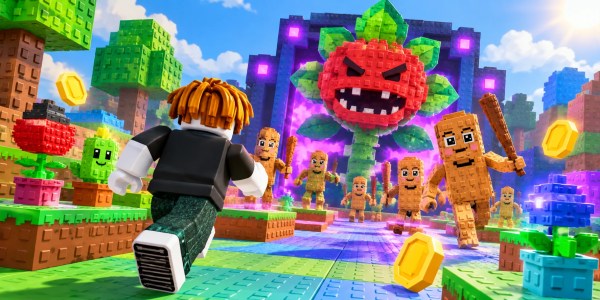
For example, in Plants vs. Brainrots, check an item’s purpose and its availability before buying it. Check out the item page and shop guide for more information. Note that these items apply only to that specific experience, and an item’s current effects and requirements should be verified before you make a purchase.
Confirm the Unlock and Check How Progress Is Saved
Developers use data stores to manage your saved progress, so saving isn’t a Roblox-wide guarantee. Complete the requirement, claim the reward if necessary, and review the game’s save instructions. Return in a later session to see if your progress was saved. If it’s missing, contact the game’s developer with the details of your account, the time, and the objective. There’s no guaranteed autosaving or recovery, and clearing local data, using exploit scripts, or buying items won’t restore the lost progress.
FAQs
Is a badge the same as a character level?
No. A badge records that you met a condition, while a level or similar meter is the experience’s own progression system.
Does spending Robux guarantee faster progress in every game?
No. Check whether the specific purchase addresses what’s actually holding you back.
Can a guide for one Roblox experience be reused unchanged in another?
No. Each game has its own rules, gates, and developer updates, so confirm every step in the game you’re playing.
Conclusion
Follow the real requirements of the experience you chose, make sure that you’ve unlocked the reward, and then confirm if the progress is saved before moving on. Since the reward rates and purchase benefits vary from game to game, always verify them before relying on them.
Check out some of our most popular Boosting services: