





Players rocking NVIDIA’s latest hardware finally have a Battlefield 6 RTX 50 crash fix. Patch 1.4.1.5 is live, finally fixing the desktop crashes triggered by ocean combat and loadout customization on high-end rigs.
You can check out the official EA Battlefield 1.4.1.5 patch release notes for the full developer breakdown. In this article, we break down what went wrong, why driver rollbacks are no longer necessary, and how to verify your system is fully stabilized.
If you’ve been avoiding Pacific maps, now is the time to brush up on your BF6 naval warfare map strategies and get back into the water.
What Changed in Battlefield 6 Update 1.4.1.5?
DICE deployed Battlefield 6 update 1.4.1.5 as a targeted hotfix focused on client stability and system reliability. It contains standard balance tweaks and general quality-of-life adjustments across multiplayer modes.
However, its main achievement is resolving GPU driver crashes affecting PC players on NVIDIA hardware. You can launch into matches without worrying about your display driver quitting mid-firefight.
This patch targets issues that made PC lobbies unbearable since the arrival of Season 4. Before this deployment, players faced random Display Driver Unresponsive (TDR) errors that forced full game restarts. Those critical crashes are now gone.
The Root Causes Behind the NVIDIA RTX 50 Series Driver Crash
When crashes first exploded across community forums, everyone initially blamed water shaders. That was only part of the story. DICE’s investigation confirmed a multi-faceted engine interaction bug that hit an NVIDIA RTX 50 series driver crash loop across three specific gameplay scenarios.
| Crash Scenario | Primary Trigger Mechanism | Severity Level |
| Naval Map Rendering | Heavy ocean shader calls on water-dense battlegrounds | Critical (Immediate Desktop Crash) |
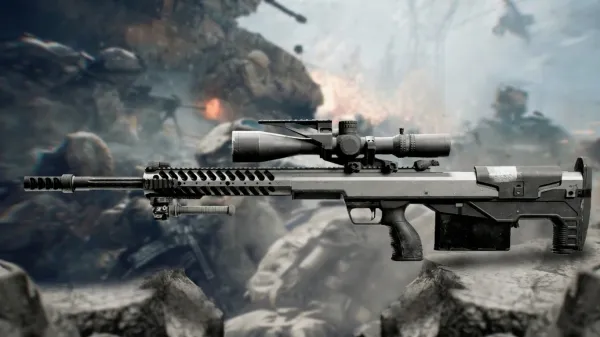
| Weapon Customization | Changing attachments on the SOR-300SC | Critical (GPU Driver Crash) |
| Matchmaking Search | Executing filters within the Custom Search browser | Moderate (Intermittent Crash) |
Do You Still Need the GeForce Driver 596.49 Rollback?
Official release notes from DICE confirmed three distinct triggers for the NVIDIA GPU driver crashes: playing on maps with large bodies of water (such as Tsuru Reef), changing attachments on the SOR-300SC, and using Custom Search.
No. During the initial crisis, developers advised a mandatory GeForce driver 596.49 rollback to bypass broken shader instructions.
That was a temporary solution. Because Update 1.4.1.5 delivers a true Battlefield 6 GPU driver crash fix on the game engine side. That means you can safely update your graphics card to the latest WHQL release.
Follow these quick steps to get your PC running cleanly again:
- Update Battlefield 6: Let Steam or the EA App download Patch 1.4.1.5 completely.
- Clean Install Drivers: Open NVIDIA GeForce Experience (or the standalone installer) and perform a clean installation of the newest Game Ready Driver.
- Clear DirectX Shader Cache: Open Windows Disk Cleanup, select your main drive, check DirectX Shader Cache, and hit OK. This forces the game to build fresh shaders on boot.
Restoring your drivers unlocks missing performance optimizations for other recent titles. Don’t sit on old drivers longer than necessary.
How to Maximize Performance & Loadouts After Update 1.4.1.5
With engine stability restored, you can finally crank your graphics settings without any worries. RTX 50 owners can turn DLSS and Ray-Traced Reflections back on during ocean skirmishes.
The SOR-300SC carbine is now considered completely safe to customize. Finally making it a top-tier choice for aggressive Assault players who want minimal recoil.
When you’re retooling your soldier for high-tier squad plays, check out our updated Battlefield 6 Class Guide to optimize your gadget slots and perk trees.
Grinding back through rank resets and weapon attachments after lost gameplay time can be a slog. If you want to skip the grind and jump straight to end-game loadouts, consider verified progression services via Battlefield 6 Challenge Boosting.
If you’re looking to jump straight into high-tier squad play after days of technical delays, you can check out our Weapon Level Boost to skip the attachment grind entirely.
Check out some of our most popular Boosting services:

Frequently Asked Questions (FAQ)
Does Battlefield 6 Update 1.4.1.5 require updating NVIDIA drivers?
No, the patch repairs code on the game engine side, so it functions on current drivers. However, upgrading to NVIDIA’s newest WHQL driver is recommended for peak frame rates.
Which RTX 50 cards were affected by the Battlefield 6 driver crashes?
The crash bug impacted the entire RTX 50 lineup due to how the engine handled water shaders and UI memory allocation on newer card architectures.
Was the SOR-300SC weapon attachment bug fixed in Update 1.4.1.5?
Yes. Changing optics, muzzles, or grips on the SOR-300SC no longer triggers GPU driver crashes.
What should I do if my GPU still crashes playing Tsuru Reef?
Verify your game files through Steam or the EA App and clear your DirectX shader cache in Windows to ensure corrupt assets aren’t lingering from older builds.
Final Thoughts
Patch 1.4.1.5 finally eliminates the driver crashes that are holding back modern rigs, leaving you free to enjoy Season 4 without game-breaking interruptions.
Now that the Tsuru Reef map and weapon customization menus are stabilized, you can focus purely on climbing the ranks.
If you’ve been tracking major content drops, head over to our complete BF6 Season 4 Guide: Naval Warfare to review all the map specs and vehicle additions accompanying this update.