






Delete Your User Data
Overview
If you would like to delete your MitchCactus account, you can do this from your account settings while you are logged in. This page explains how to find the delete option, submit your request and understand what happens before you confirm the action.
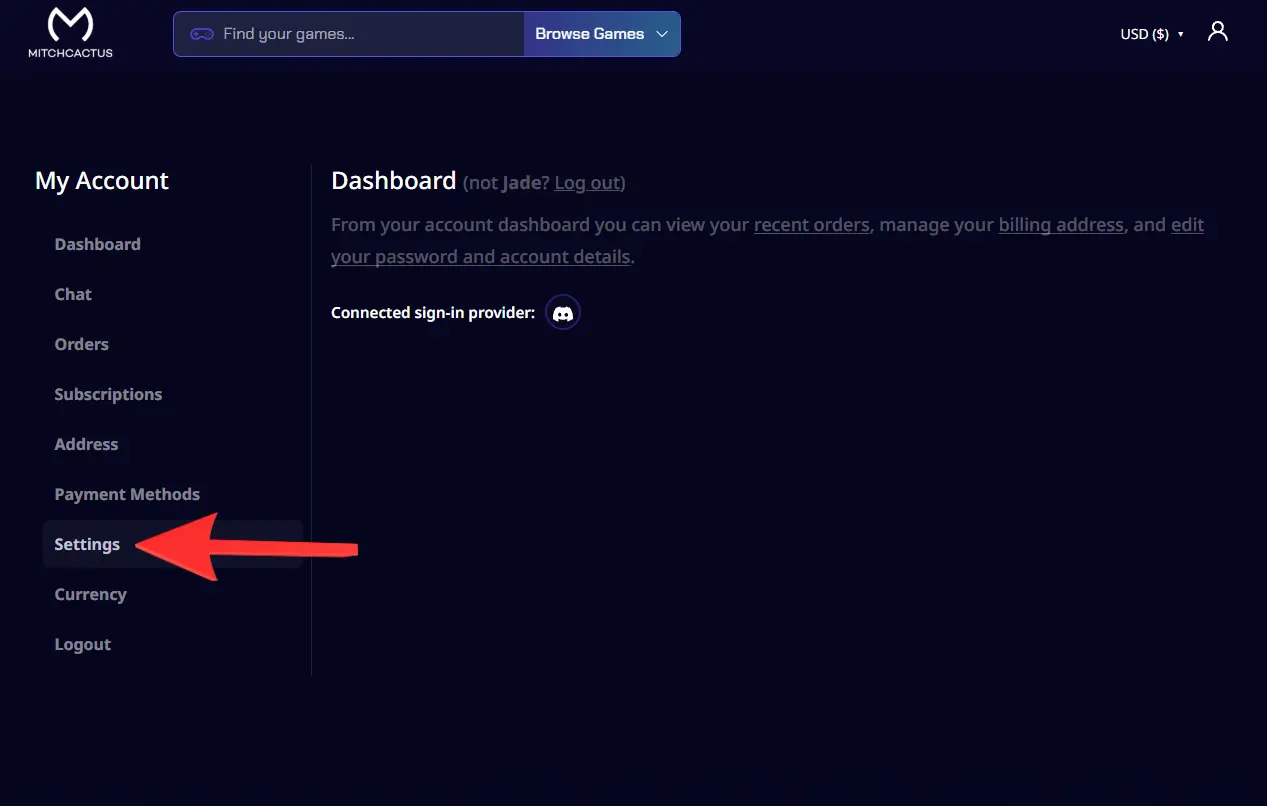
If you are already signed in, go to My Account > Settings to start the process.
How to delete your account
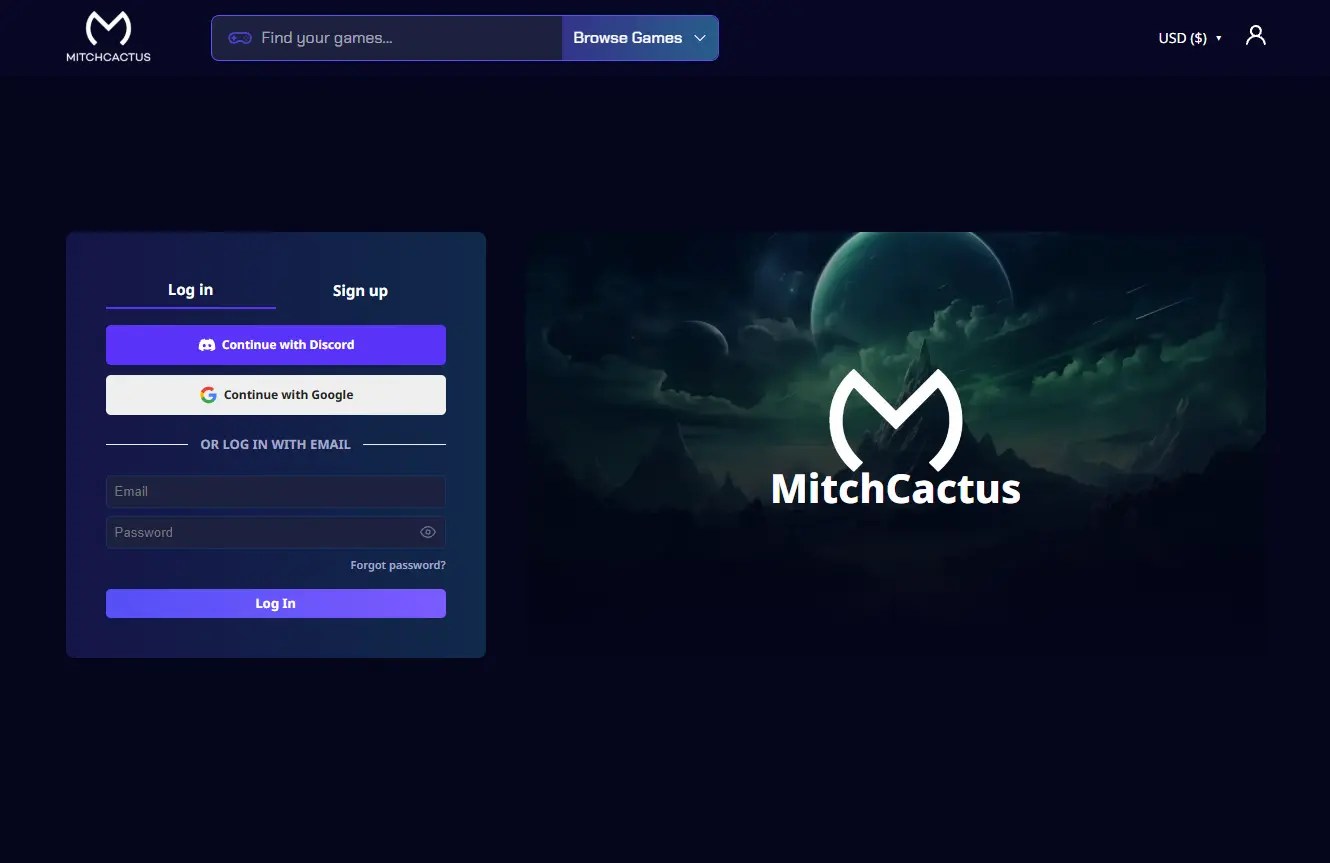
Step 1: Log in to your MitchCactus account
Login using the email address and password connected to your MitchCactus account.
Step 2: Open My Account
Once you are logged in, go to the My Account section.

Step 3: Go to Settings
From your account area, open the Settings page.
Step 4: Find the Delete Account section
Scroll through the Settings page until you see the Delete Account section.
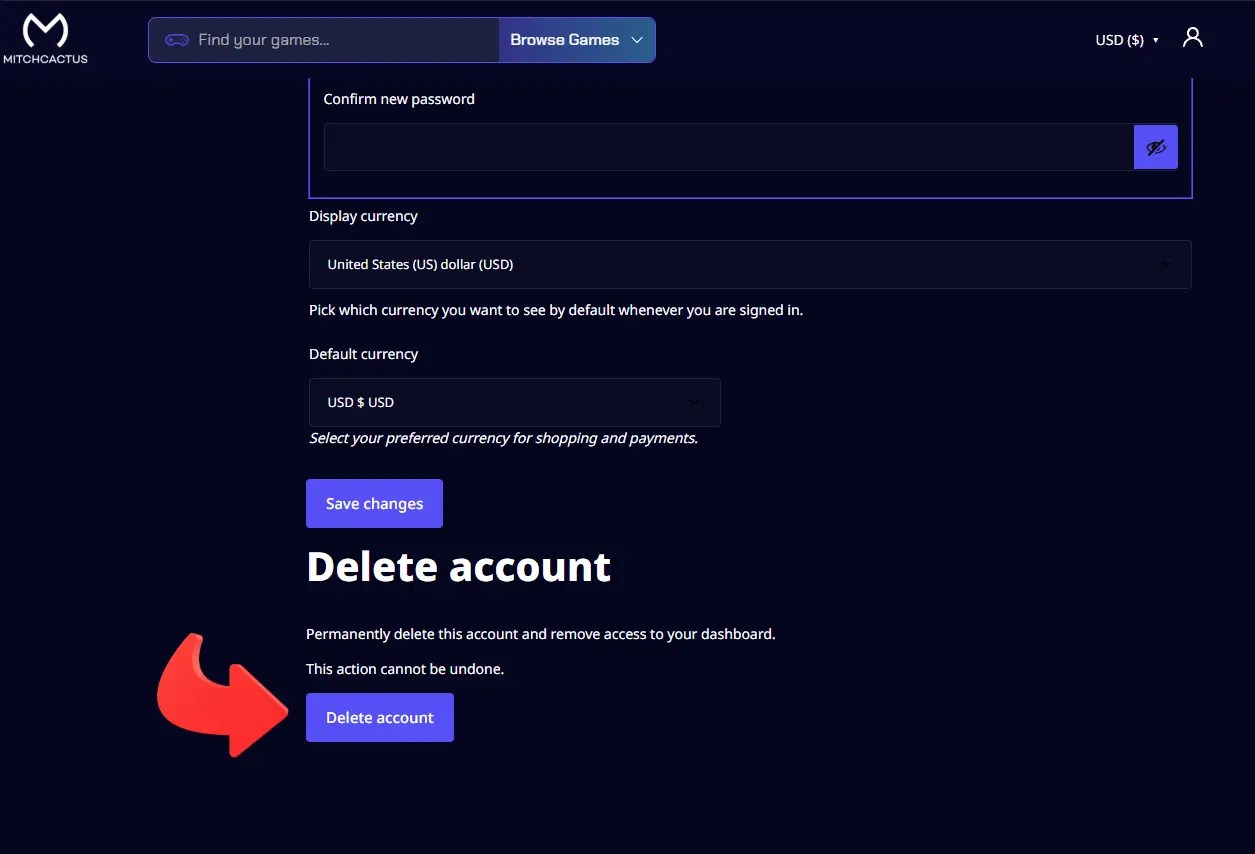
Step 5: Click the Delete Account button
Click the Delete Account button to begin the account deletion process.
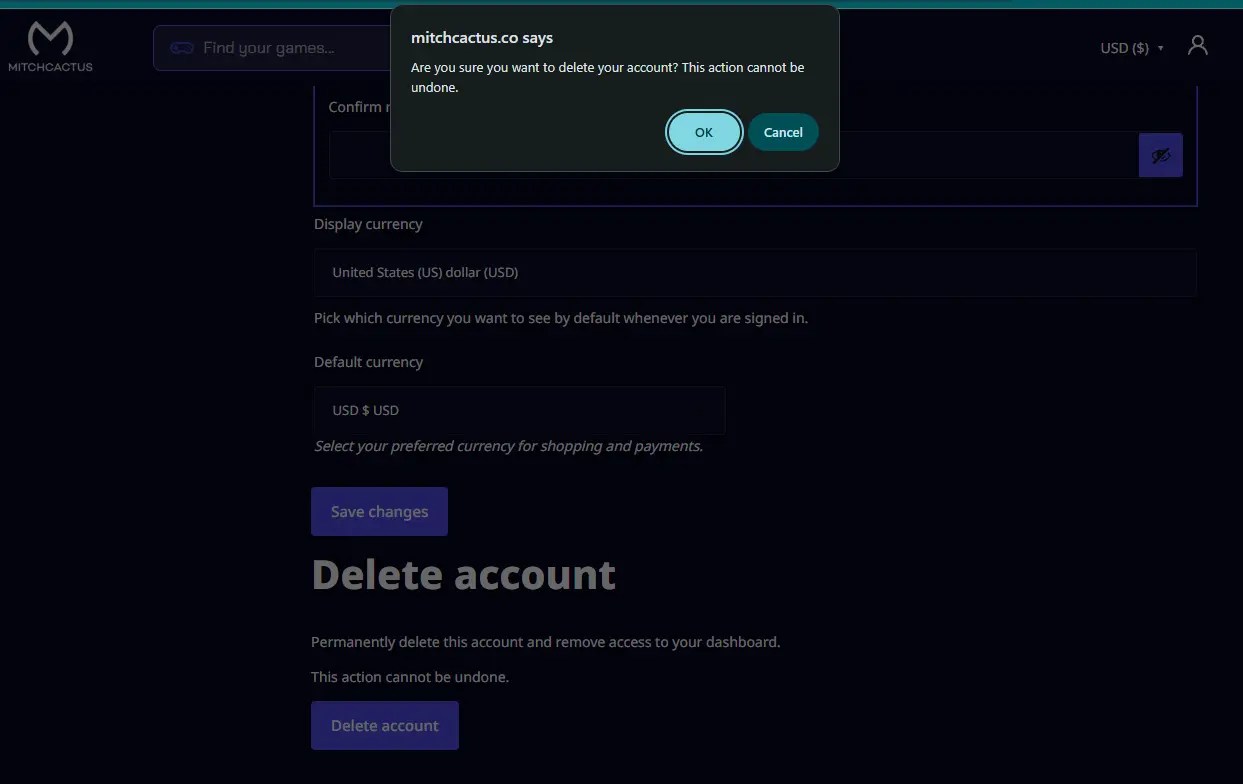
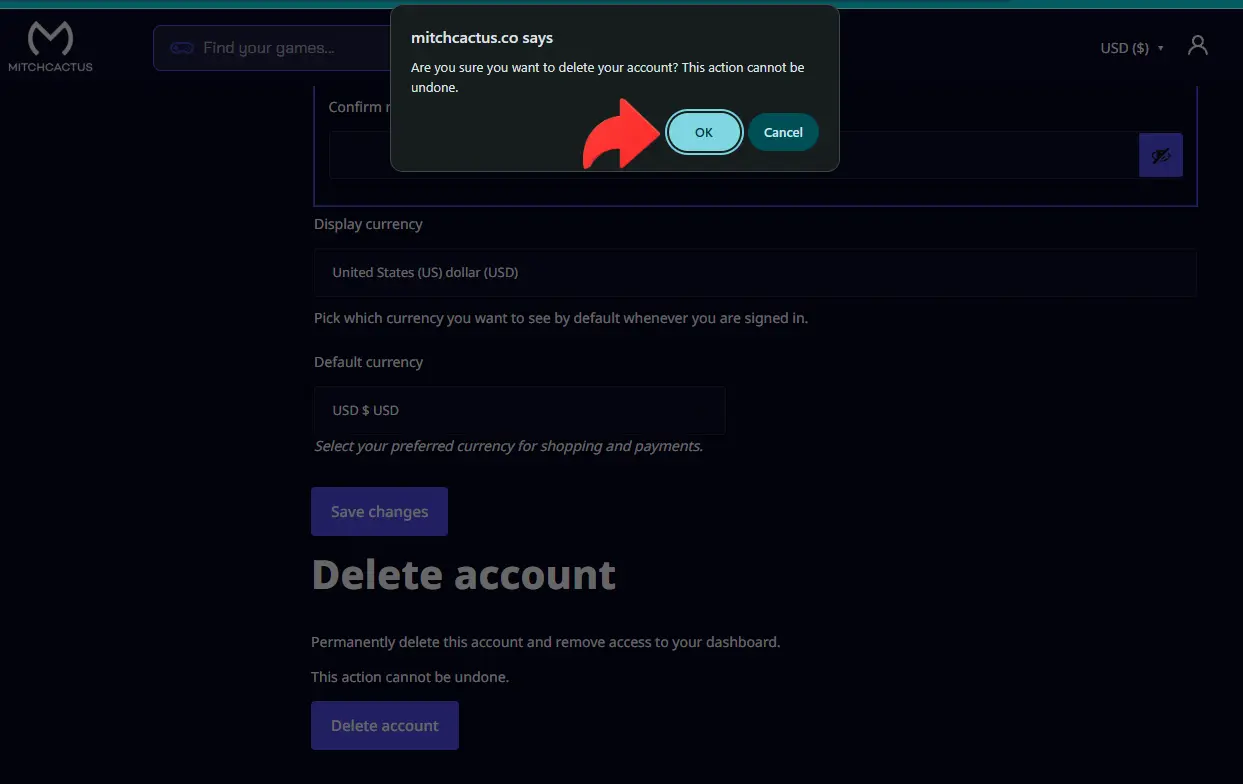
Step 6: Confirm your deletion request
Review the confirmation message carefully. If you are sure you want to delete your account, confirm the request.
Important information before deleting your account
Account deletion is permanent. Once your request is confirmed, you will lose access to your MitchCactus account area.
For security reasons, you must be logged in to your own account to use the self-service delete option. If you cannot access your account, please contact our support team and include the email address linked to your account. We will verify that this is your account before proceeding.
Please note that some information may need to be retained where required for legal, security, fraud prevention or transaction record purposes. You can review our Privacy Policy for more information about how your personal data is handled.
Need help?
If you need help deleting your account or have questions about your personal data, email us at support@mitchcactus.com