





How to Log Into Your Forza Steam Account
Hello! You are seeing this page as you’ve just purchased a Forza Steam Modded Account from us, here is how you can log-in to the account.
Feel free to watch our YouTube tutorial which covers everything from A-Z:
FIRST STEPS:
BEFORE logging into the account on Xbox or Forza, make sure to first log in here: https://forza.net/myforza
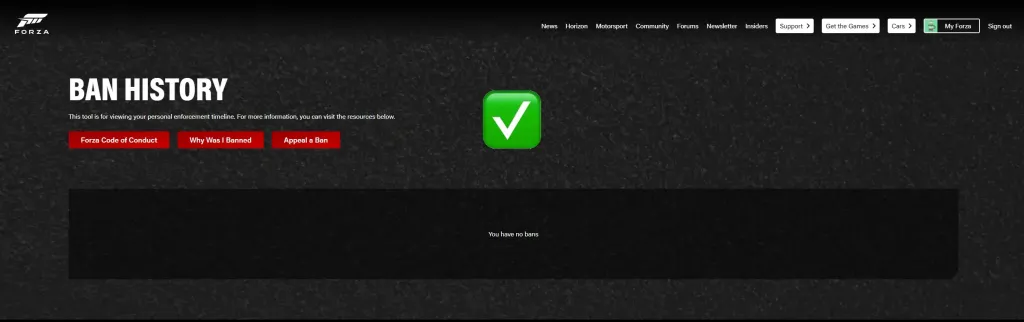
- On the Forza website, you’ll be prompted to sign in. After logging in, navigate here again: https://forza.net/myforza/banhistory
- If your account is in good standing with no issues, you’ll see the message below. This confirms that your account is ready to use ✅
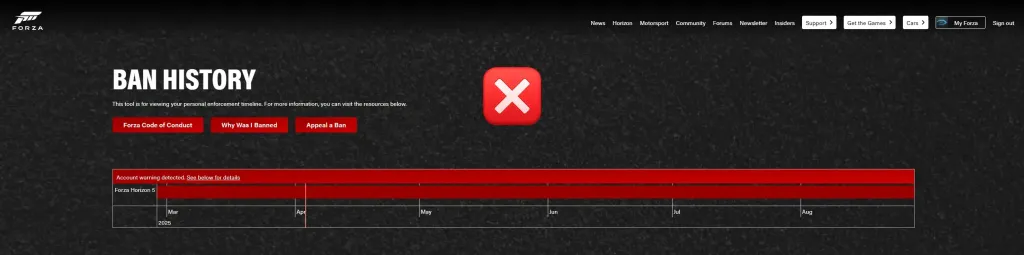
Although it’s unlikely, if there is an issue with the account, it may appear as shown below. If this happens, don’t log into Forza. Instead, just contact us with a screenshot, and we’ll swiftly provide a replacement.
We ask you to check beforehand to ensure you’re never affected—since you’re only verifying the account status on the website before launching the game, you remain fully protected 🛡️
How to Log In:
Here is an example of a log-in you’d have received: Steam User:Pass = x_username : Password | Auth Email:Pass [email protected]/rambler.ru : Egpassword
As shown above, you will have received a Steam User:Pass. You use this Steam Username & Password to log into the Steam account you will have received. Upon logging in, you will be requested to authorise your entry through a code. This is where the email we sent you can be used by you to retrieve this code.
As also shown, you will have received an Auth Email:Pass. We use a few different types of domains for these emails, such as @outlook.com email, or @qisteam.com
For Outlook.com Emails: If your Auth Email looks like: [email protected], you can simply head to outlook.com and enter in the Auth Email + Auth Password. From here, you will be able to retrieve your code.
After this, you will see a copy of Forza Horizon 5 that comes with the account that you can log onto. Upon launching Forza, you will be requested to add or log on with an Xbox account, here, you will enter the secondary email and password.
After this, you will load up and see all of your desired modded contents 🙂
How to change the Authentication email
The emails that come with the accounts are only needed for your authentication codes to log-in/change information. Once you’ve used them for these purposes, feel free to change them to a mail platform you’re more familiar/comfortable with. To do so, check our the steps in this guide.
Enjoy! Be sure to leave a Review on our Trustpilot page, you’ll be automatically invited to leave one shortly.
Need Help? Contact us!