





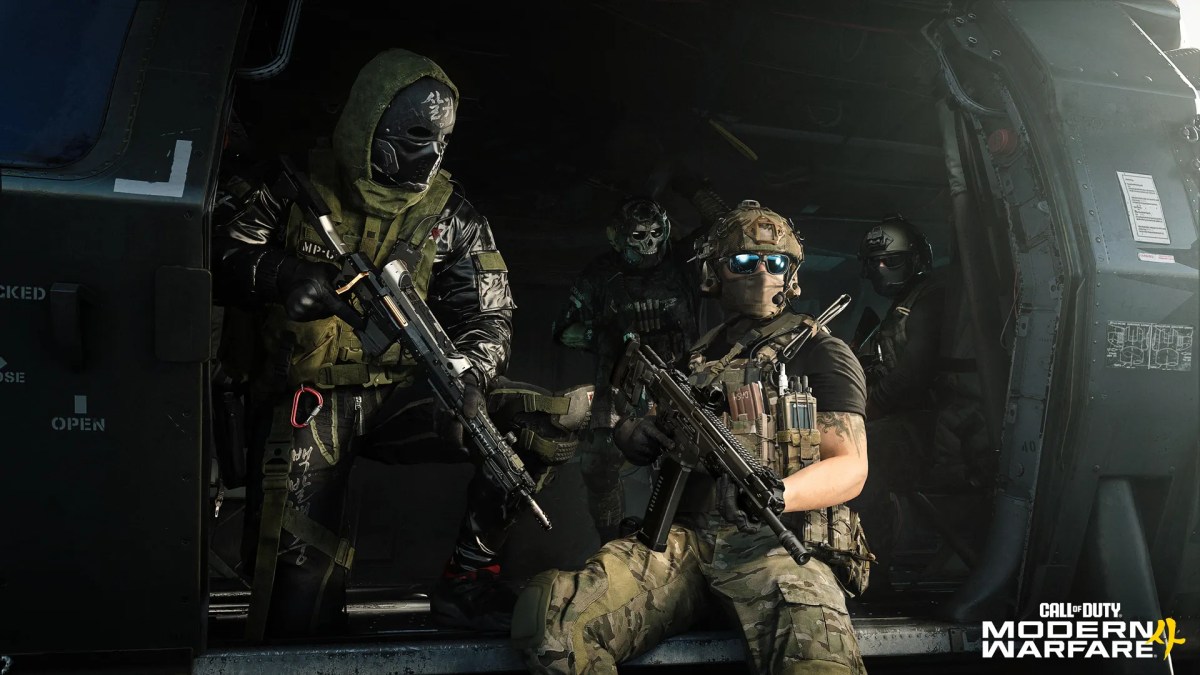
The Modern Warfare 4 beta PC specs have officially been revealed. However, running the game smoothly takes more than just meeting hardware requirements.
Activision’s push for tighter security and heavier graphics tech also means jumping into the action will require more than just passing the usual hardware demands. In this article, you will find everything you need to optimize your PC, meet security hurdles, and hit the right FPS the second you log in.
For a deep dive into official reveals and streams ahead of the beta launch, check out the official Call of Duty PC announcements. Make sure to also redeem your MW4 beta code before early access begins.
Official Modern Warfare 4 Beta PC System Requirements
Most modern Call of Duty titles demand serious hardware performance. This is especially true during competitive multiplayer matches. Competitive players will need to balance high framerates with fast asset loading to prevent stuttering.
Minimum Specs (1080p / 30 FPS Low)
To hit basic playable targets, your machine will need to meet the MW4 beta minimum requirements. It’s also worth pointing out that the Beta strictly mandates solid-state storage. Traditional hard drives simply won’t cut it anymore.
| Component | Minimum Specification |
| OS | Windows 10 64-bit (latest update) |
| CPU | AMD Ryzen 5 1600 or Intel Core i5-8400 |
| RAM | 12 GB |
| Video Card (AMD) | Radeon RX 470 |
| Video Card (NVIDIA) | GeForce GTX 970 / 1060 |
| Video Card (Intel) | Arc A580 |
| Video Memory | 3 GB |
| Storage Space | SSD required |
| Network | Broadband Internet connection |
| Sound Card | DirectX Compatible |
Recommended Specs (1080p / 60 FPS Medium/High)
Upgrading your CPU and memory is key to smooth 60 FPS gameplay. Meeting these MW4 beta recommended specs guarantees clearer image quality and fewer frame dips during heavy in-game confrontations.
| Component | Recommended Specification |
| OS | Windows 11 64-bit (latest update) |
| CPU (AMD) | AMD Ryzen 5 3600 |
| CPU (Intel) | Intel Core i7-8700 |
| RAM | 16 GB |
| Video Card (AMD) | AMD Radeon RX 6700 XT |
| Video Card (NVIDIA) | NVIDIA GeForce RTX 3060 Ti |
| Video Card (Intel) | Intel Arc B580 |
| Video Memory | 8 GB |
| Storage Space | SSD required |
| Network | Broadband Internet connection |
| Sound Card | DirectX Compatible |
Competitive & 4K Ultra Specs (144+ FPS)
High-refresh-rate monitors generally require high-end hardware. Pushing 144Hz or native 4K resolution requires an Intel Core i9-12900K or AMD Ryzen 7 7800X3D. Either should be paired with an RTX 4070 or RX 7800 XT.
Keep 16 GB of system RAM available minimum, though 32 GB offers better background stability.
System Requirements & Additional Technical Prerequisites
To prevent launch crashes, you should update your graphics drivers to the recommended versions before starting the game. It’s also vital to confirm if your PC is capable of supporting the Ricochet Anti-Cheat network and its associated security features.
| Category / Requirement | Specification / Details |
| Graphics Driver (NVIDIA) | 610.47 |
| Graphics Driver (AMD) | 26.7.1 |
| Graphics Driver (Intel) | 32.0.101.8861 |
| Internet Connection | Broadband Internet connection |
| DirectX Version | DirectX 12 compatible system |
| Additional Requirements | TPM 2.0 and Secure Boot are strictly required to play Call of Duty: Modern Warfare 4. Other security measures may be enforced at launch. |
Players can run the official Call of Duty Secure Attestation Wizard to verify that their rig meets every security prerequisite before the servers go live.
Players can review setup guides or check motherboard compatibility at the official Trusted Platform Module (TPM) 2.0 and Secure Boot for Call of Duty Support Page.
Note: These specs apply specifically to the Modern Warfare 4 Beta and may differ from the final PC specifications required at full launch.
Essential Prerequisites: TPM 2.0, Secure Boot & GPU Drivers
Having the hardware power means nothing if the anti-cheat system flags your PC on boot. RICOCHET is Activision’s kernel-level anti-cheat system designed to block bad actors before they ever step foot into a lobby.
To work effectively, RICOCHET relies on two essential hardware protocols:
- Secure Boot: Prevents untrusted code from loading when your system powers on. It stops rootkits and boot-level cheat software from hiding beneath Windows.
- TPM 2.0 (Trusted Platform Module): A hardware security chip on your processor or motherboard. It creates a cryptographically secure environment that verifies your PC system’s integrity.
How to Enable TPM 2.0 (Intel PTT & AMD fTPM)
Running into Modern Warfare 4 TPM 2.0 Secure Boot errors right before launch is a classic gaming headache. Modern Call of Duty games often lock out systems that have their TPM disabled.
- Restart your PC and tap Del or F2 to enter your BIOS.
- Navigate to the Security or Advanced tab.
- Look for Intel PTT (on Intel boards) or AMD fTPM (on Ryzen boards) and switch it to Enabled.
- Find Secure Boot, set it to Enabled, and make sure the mode reads Standard.
- Save settings and restart.
MW4 Beta Preload & Download Guide (Steam & Battle.net)
Getting your files ready ahead of time enables you to skip the download traffic when doors open. Keep track of the full MW4 open beta schedule and access times to align your installation.
File Size & SSD Storage Requirements
The base download sits right around 30 GB. Consider clearing out at least 50 GB of space on the primary SSD to leave room for temporary unpacking files and extra shader cache allocation.
How to Preload on Steam and Battle.net
- Battle.net: Go to the Games tab, select Call of Duty, and change your Game Version dropdown menu to the Beta build. Click Install.
- Steam: Open your Library, look for the playtest sub-app under your Call of Duty hub, right-click, select Properties, and ensure automatic updates are active.
Best Modern Warfare 4 Beta Graphics Settings for Max FPS
Once you boot up a match, bad settings will ruin your framerate and obscure targets. Following this Modern Warfare 4 beta PC performance guide can help you spot enemies faster and improve overall experience.
| Setting | Recommended Option / Details |
| Display Mode | Exclusive Fullscreen (Reduces latency) |
| VRAM Scale Target | 70% or 80% (Avoid 90% to prevent background apps from causing hitching) |
| Dynamic Resolution | Off |
| Upscaling | NVIDIA DLSS (Quality) or FidelityFX CAS (Sharpness: 50–60 for sharp native clarity) |
| Texture Resolution | Low or Medium (Saves VRAM) |
| Depth of Field | Off (Eliminates visual blur to improve readability) |
| Motion Blur (World & Weapon) | Off |
| Spot Cache | High or Ultra (Allocates RAM for lightmaps to prevent mid-combat micro-stutters) |
Upscaling & Anti-Aliasing (DLSS / FSR Setup)
Set your Upscaling model to NVIDIA DLSS or AMD FSR 3. Choose the Quality or Balanced preset for crisp target identification. All without tanking your framerates. You can also turn NVIDIA Reflex Low Latency to On + Boost to slice through system input delay.
Modern Warfare 4 Beta Shader Preloading & Stutter Fixes
Shader compilation is often the single biggest source of day-one frame drops and stuttering in most games. With the MW4 Beta, developers Infinity Ward and Beenox are introducing offline MW4 beta shader preloading.
This shifts the compilation workload outside of the game client, which gets you past the loading screens and into active match queues significantly faster.
What Is Shader Preloading and Why Does It Matter?
Shaders are core rendering programs that tell your GPU how to draw lighting, shadows, surface textures, and visual effects. While consoles run on identical specs, PC configurations generally feature endless combinations of graphics cards, drivers, and processors.
Shaders must compile specifically for your hardware setup. A Call of Duty MW4 beta preload helps build these files in advance, so your system doesn’t crash while trying to process heavy explosion effects mid-fight.
What to Expect Before Launching the Beta
After the installation or patch completes, a Windows system tray notification will pop up stating “Shader Pre-Loading Will Start”. This background process runs automatically without opening the game client.
- Resource Usage: It uses minimal background system resources. That means you can keep using your PC normally while it runs.
- Manual Control: You can disable Shader Preloading in settings or cancel it by right-clicking the system tray icon. Interrupted processes simply resume automatically the next time you open the game.
Platform Availability During the Beta
Battle.net and Steam handle initial shader setups slightly differently during the beta test:
- Battle.net: Shader Preloading triggers automatically right after your initial install completes.
- Steam: Requires a standard one-time shader compilation on your very first bootup. Preloading fully takes effect for Steam players starting with the Weekend Two updates and future seasonal patches.
How to Fix Shader Compilation Freezes
If your shader compilation process freezes or gets stuck near completion (a common issue around 99%), don’t panic or force-close the game right away.
Follow these steps to clear the freeze and get your shaders compiled correctly:
| Action / Step | Instructions |
| 1. Wait It Out First | Give the progress bar 2–3 minutes. Background asset checks can cause brief pauses at 99% before finishing. |
| 2. Restart the Client | If frozen, exit and reboot the game. The client often catches up and completes the remaining percentage automatically upon launch. |
| 3. Trigger Manual Shader Recompilation | Go to Settings > Graphics > Display, scroll down, and select Restart Shader Optimization (or Restart Shader Compilation). This safely wipes the corrupted cache and builds a clean one. |
| 4. Purge the Shader Cache Manually | If freezes persist, close the game and clear your GPU shader cache folder manually via NVIDIA Control Panel, AMD Adrenalin, or Windows DirectX Shader Cache Cleanup. |
| 5. Remain Idle on the Main Menu | Once compilation restarts, stay in the main lobby until the progress indicator hits 100%. |
Crucial Tip: Never force your way into a match while shaders are actively installing. Queuing early forces your GPU to compile shaders mid-game. This could cause severe frame drops, input lag, missing textures, and potential game crashes.
To learn how upcoming performance optimizations are addressed in other games like Warzone, check out our breakdown of the Warzone Season 5 Reloaded update.
Check out some of our most popular Boosting services:

Final Thoughts
Taking a few minutes to check your BIOS settings, update your display drivers, and dial in these performance tweaks now can help you waste zero time when the beta servers go live.
Rather than fighting sudden frame drops, micro-stutters, or crashes, you can focus entirely on mastering the new gunplay and mapping out the fresh meta. A small investment in optimization today guarantees you spend the entire testing period playing at peak performance.
If you’re currently trying to secure high-tier rewards in Warzone, exploring a dedicated boosting service or a pre-configured account is a great way to save time.
Frequently Asked Questions (FAQ)
Can I run the MW4 beta on an HDD?
No, an SSD is mandatory. Installing on a traditional hard drive causes severe texture pop-in, massive menu lag, and potential asset-loading crashes.
Why am I getting a Secure Boot error when launching MW4?
Ricochet Anti-Cheat requires Windows Secure Boot to be enabled in your motherboard’s BIOS settings. Check your UEFI config, enable TPM 2.0/Secure Boot, and restart your system.
Do I need the main Call of Duty HQ app installed to play the MW4 Beta?
No. Modern Warfare 4 Beta runs as a standalone installation.
Will I still get forced “Update Requires Restart” prompts when booting up?
PC and PS5 players will rarely see this screen now since mid-game patches apply automatically without forcing an application restart. You will only be prompted to restart if a hotfix drops while you are actively in a match.
Can I share my early access beta code across Steam and Battle.net?
No. Beta codes bind directly to the specific platform you select during the Activision code redemption process.