









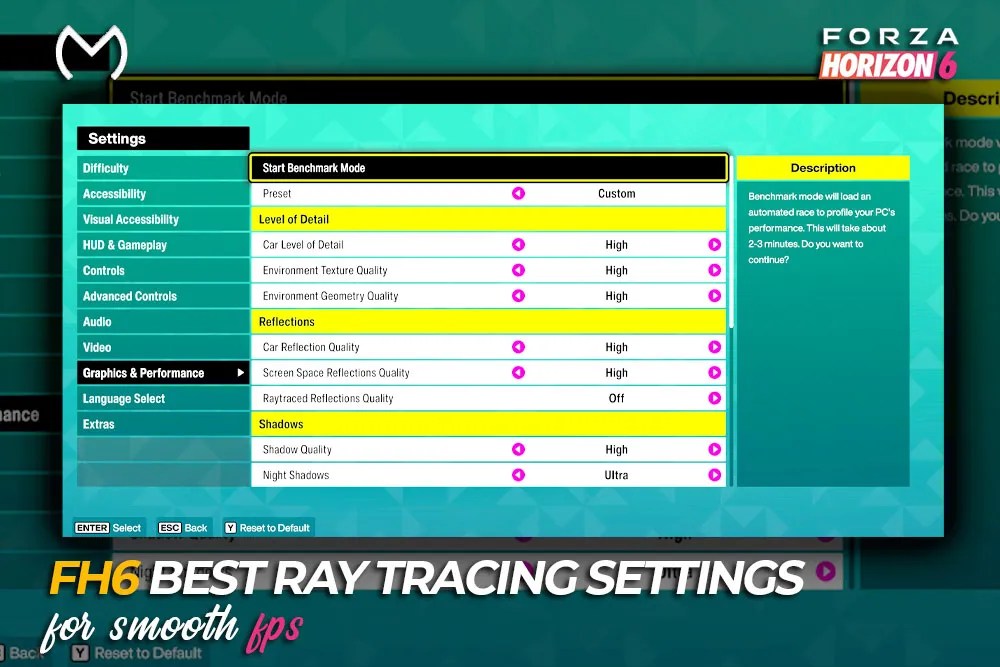
Ray tracing can make Forza Horizon 6 look excellent on wet Tokyo roads, inside tunnels, and around glass buildings. It can also hit FPS hard when high textures and Frame Generation are already using most of your VRAM.
For most players chasing smooth FPS, the best setup is Raytraced Reflections Off, Raytraced GI Off, Screen Space Reflections High, and Screen Space GI High.
If you have extra GPU and VRAM headroom, use Raytraced Reflections High, keep Raytraced GI Off, disable Screen Space Reflections, and leave Screen Space GI High.
Best Forza Horizon 6 Settings for FPS
| Graphics Setting | FPS-First Setup | Balanced RT Setup |
|---|---|---|
| Raytraced Reflections Quality | Off | High |
| Raytraced GI Quality | Off | Off |
| Screen Space Reflections Quality | High | Off |
| Screen Space GI Quality | High | High |
| Car Reflection Quality | Extreme | Extreme |
| Environment Texture Quality | High | High |
| Environment Geometry Quality | High | High |
| Volumetric Fog Quality | High | High |
| Motion Blur | Off | Off |
| NVIDIA Reflex Low Latency | On + Boost | On + Boost |
| DLSS, FSR, or XeSS | Quality | Quality |
Use NVIDIA Reflex only on supported NVIDIA GPUs. Quality upscaling is a starting point for 1440p or 4K, while native anti-aliasing may look cleaner at 1080p.
Best Settings by PC Tier
| PC Setup | Reflections | RTGI | Upscaling | Textures |
| Low-end PC or handheld | Off | Off | Balanced | Medium |
| 8GB GPU | Off | Off | Quality | High |
| Mid-range 1440p PC | High | Off | Quality | High |
| High-end 1440p or 4K | High | Medium | Quality | High or Extreme |
| Photo Mode | High | High | Quality or Native | Maximum |
On an 8GB card, disable RTGI before dropping texture quality when VRAM is close to its limit.
RT Reflections vs RTGI
Ray-Traced Reflections improve windows, water, wet roads, and objects near the edge of the screen. The difference is easiest to notice while driving slowly or stopping for screenshots.
RTGI changes indirect lighting in tunnels, shaded streets, and sunset scenes. It adds depth, but the visual gain is harder to notice during a fast race than the FPS loss.
For a strong GPU, use RT Reflections High with RTGI Off. High-end systems can try RTGI Medium, while High is better saved for Photo Mode.
Best DLSS, FSR, and XeSS Settings
For 1440p/4K resolutions, Quality is where you want to begin. It enhances performance but ensures your cars, roads, and distant landscapes remain detailed and crisp.
Balanced mode will be able to give you some extra FPS, but now you will begin to notice foliage shimmering, blurrier details, and RTGI artifacts. For 1080p resolution, Native TAA, DLAA, FSR Native AA, or XeSS Native AA tend to look better.
Frame Generation will work well for a game that is running close to 60 FPS to begin with. It won’t help if you have a CPU bottleneck or frame time instability.
Better Control and Progression Settings
Smooth frame times improve steering, braking, and consistency through fast corners. A higher FPS counter means little if the game still feels uneven.
- Turn Motion Blur off.
- Enable NVIDIA Reflex On + Boost on supported GPUs.
- Cap FPS at a level your PC can maintain.
- Avoid Frame Generation when base FPS is low.
- Keep assists that help you race consistently.
Stable performance makes repeated events less tiring when using the fastest ways to earn credits in Forza Horizon 6.
Weekly playlists and progression rewards can also lead to Forza Horizon 6 Super Wheelspins without breaking the normal racing loop.
How to Fix Stuttering and FPS Drops
Rainy Tokyo at nighttime is a good stress test as there will be more traffic, reflections, light sources, CPU load, and VRAM required.
The following troubleshooting methods should be done in the specified order:
- Ensure shader compilation completion.
- Restart the game after any significant RT modifications.
- Perform the same benchmark after each tweak.
- Focus on 1% lows instead of just average FPS.
- Deactivate RTGI before decreasing texture settings.
- Remove overlays, recording programs, and performance monitors.
- Apply a frame limit your computer can sustain.
In case the game freezes or exits, check the drivers, file integrity, overlays, and background apps. A freeze is not always linked with the graphics configuration.
Upgrade your FH6 garage after optimizing PC performance:

Tips for Players
Adjust one significant parameter each time. Do testing using the same vehicle, weather conditions, road, and camera for identification of what worked.
Users who plan to upgrade multiple builds instead of repeating payout races can use Forza Horizon 6 credits.
Is Ray Tracing Worth Using?
Independent TechSpot performance testing found that disabling both RT effects offers the stronger high-FPS setup, while RTGI Medium is a better compromise than High for quality-focused systems. It looks best when the car is parked, the road is wet, or the camera is moving slowly.
At high speed, stable frame times matter more than perfect reflections. The practical setup is RT Reflections High, RTGI Off, Screen Space GI High, Car Reflections Extreme, and Quality upscaling.
Conclusion
RT Reflections High can only be used if the GPU is powerful and has enough VRAM. RTGI should be turned off while playing and stable FPS is important.
FAQs
What are the perfect settings for FPS in Forza Horizon 6?
Disable RTGI, use High for Screen Space GI, set Volumetric Fog to Medium, disable Motion Blur and enable Quality upscaling.
Should I disable ray tracing in Forza Horizon 6?
RT needs to be turned off for low-end computers, those that have 8 GB of RAM and high refresh rates. GPUs that are strong can support RT Reflections High without RTGI.
Why does Forza Horizon 6 lag on PC?
Shader compilation, excess use of VRAM, overlays, problems with the drivers, and overuse of RT settings are common reasons.
What are the best settings for a low-end PC?
Both RT settings need to be disabled, Balanced upscaling and Medium textures should be used. There shouldn’t be any Motion Blur and there should be limited FPS.
Is DLSS/FSR/XeSS helpful in Forza Horizon 6?
Yes. The settings for Quality upscaling should be applied at 1440p/4K and native anti-aliasing should be applied at 1080p.



